Documentation
Installing, configuring and running OpenWhistle, the free, self-hosted whistleblower platform for HinSchG and EU Directive 2019/1937.
Overview
A stateless, self-hosted web application: the secure internal reporting channel that the German Hinweisgeberschutzgesetz (HinSchG) and EU Directive 2019/1937 require. Licensed under the GNU General Public License v3.0.
Python and FastAPI, PostgreSQL 18 and Redis 8, shipped as a Docker image. No CDN and no third-party service; every outbound request is opt-in and listed in full.
Beside GlobaLeaks, SecureDrop and Hush Line: open source whistleblowing software compared.
Key design principles
- Anonymity first: no IP address is stored at any layer (four layers).
- Stateless: all session state lives in Redis; the app container is disposable and scales horizontally.
- Compliance by design: the §17 HinSchG deadlines are part of the data model.
- No lock-in: standard Docker Compose; your data is plain PostgreSQL.
Supported platforms
- Any Linux host with Docker 24+ and Docker Compose v2
- x86_64 and ARM64 (Apple Silicon): images for linux/amd64 and linux/arm64
- Registries: GitHub Container Registry (ghcr.io), Docker Hub, Quay.io
Current version
v2.1.1. What it changed:
- A new logo, and each theme tells the browser whether it is light or dark, so Chrome's Auto Dark Mode leaves the light theme alone.
- Colours, code samples and the footer meet WCAG AA contrast in both themes.
- No page is wider than a 360 px phone.
What v2.1.0 changed:
- Every admin changes their own password and links their own single sign-on; a lost authenticator can be reset.
- The §17 HinSchG deadlines follow the statute, from receipt, in calendar months.
- Attachments lose their metadata without a pixel changing.
- A superadmin gives each organisation its own admins.
- Over forty fixes from a bug bounty, listed in the changelog.
What v2.0.1 changed:
- The first account is a superadmin, so organisations can be managed.
- Pages that fit the window no longer scroll past it.
What v2.0.0 changed:
- The confidential identity is shown only to the handler, with an audited reason.
- The first-run setup needs a one-time token.
- Whistleblower times are stored as the day only.
- An optional Tor onion address and ClamAV upload scan.
- TLS by default in the Compose stack.
- An opt-in installation count, off by default.
- Words inside reports are searchable without an index.
Every change: Changelog.
Requirements
A shared VPS with 1 vCPU and 1 GB RAM is enough for most organisations.
| Need | Minimum |
|---|---|
| Docker | 24.0 or newer |
| Docker Compose | v2.0 or newer: the docker compose plugin, not the legacy docker-compose binary |
| PostgreSQL 18, Redis 8 | bundled in the Compose stack, nothing to install |
| RAM | 512 MB (1 GB recommended) |
| CPU | 1 vCPU |
| Disk | 5 GB for application, database and logs |
| Network | a domain name, a valid HTTPS certificate (Let's Encrypt recommended), ports 80 and 443 open inbound for nginx |
A reporting channel over plain HTTP breaks the confidentiality duty of §8 HinSchG and GDPR. In production, HTTPS is not optional.
Container Images
Multi-arch images (linux/amd64, linux/arm64) go to three registries on every release and
every commit to main.
Registries
# GitHub Container Registry (primary)
$ docker pull ghcr.io/openwhistle/openwhistle:latest

# Docker Hub
$ docker pull kermit1337/openwhistle:latest

# Quay.io
$ docker pull quay.io/jp1337/openwhistle:latest
Image tags
| Tag | Updated when | Use for |
|---|---|---|
latest |
The highest stable release tag is pushed; never a pre-release (v2.1.0-rc1) |
Production — always points to the current stable release |
1.2.3 / 1.2 / 1 |
Release tag pushed; 1.2 and 1 move only to the highest release in their line |
Pinning to a specific version or minor series |
edge |
Every push to main |
Testing the latest unreleased development state — not for production |
sha-abc1234 |
Every push to main and every release tag |
Reproducing an exact build — useful for debugging and rollback |
docker-compose.prod.yml pins the image with OPENWHISTLE_VERSION
in .env; its default is the release the file shipped with. The sha- tags suit
immutable infrastructure pipelines.
Image signatures
Every GHCR image is signed with Cosign (keyless, Sigstore). Verify it before pulling in a security-sensitive environment:
$ cosign verify ghcr.io/openwhistle/openwhistle:latest \
    --certificate-identity-regexp="https://github.com/openwhistle/OpenWhistle" \
    --certificate-oidc-issuer="https://token.actions.githubusercontent.com"
Installation
Docker Compose starts everything with one command: application, PostgreSQL, Redis and nginx.
Step 1 — Clone the repository
$ git clone https://github.com/openwhistle/OpenWhistle.git
$ cd OpenWhistle
Step 2 — Configure environment
At minimum set SECRET_KEY, DATABASE_URL and
REDIS_URL; every other setting is in the
configuration table.
$ cp .env.example .env
$ nano .env

# The production stack (TLS, nginx); every docker compose command below uses it:
COMPOSE_FILE=docker-compose.prod.yml

# Minimum required values. The production Redis requires REDIS_PASSWORD,
# so it goes into REDIS_URL too, as POSTGRES_PASSWORD goes into DATABASE_URL:
# openssl rand -hex 32 — a new value for each key:
SECRET_KEY=<64 hex characters>
ENCRYPTION_KEY=<64 hex characters>
POSTGRES_PASSWORD=db-password
REDIS_PASSWORD=redis-password
DATABASE_URL=postgresql+asyncpg://openwhistle:db-password@db:5432/openwhistle
REDIS_URL=redis://:redis-password@redis:6379/0
Step 3 — Start services
$ docker compose up -d
► Network openwhistle_default      Created
► Container openwhistle-db-1        Started
► Container openwhistle-redis-1     Started
► Container openwhistle-app-1       Started
► Container openwhistle-nginx-1     Started
nginx serves HTTPS on 443 and redirects plain HTTP on 80. Put your
fullchain.pem and privkey.pem (e.g. from certbot) into
nginx/certs/ and restart.
- Copy them, do not symlink: a link into
/etc/letsencrypt/livedangles inside the container. - Keep the key root-owned
0600, or0644. Otherwisetls-initstops and names the path and the reason. - Without them, the one-shot
tls-initservice generates a self-signed certificate before nginx starts. It is forTLS_HOSTNAME(defaultlocalhost), a.envvariable onlydocker-compose.prod.ymlreads. After a change,docker compose up -d tls-init nginxissues and serves a new one. - To renew, drop the new certificate into
nginx/certs/and rundocker compose up -d tls-init nginx. Restartingnginxalone keeps the old one: nginx never re-readsnginx/certs/itself.
It lets the stack come up before you have a real certificate, not to serve users. A
browser that clicks through its warning gets an HSTS pin
(Strict-Transport-Security: max-age=31536000; includeSubDomains; preload) for
that hostname. Install a real certificate before anyone but you visits.
Step 4 — Run the setup wizard
Unless you set SETUP_TOKEN yourself, read the one-time setup token from the
log:
$ docker compose logs app | grep "Setup token"
Then open https://<TLS_HOSTNAME>/setup (https://localhost/setup
by default) and follow the First-Run Wizard. The account
it creates is a superadmin: it manages organisations and grants every role.
Alembic migrations run automatically at startup. The app serves no traffic until every one has been applied.
Deployment privacy
Every request that leaves the host
The whole list; nothing on it is on until you switch it on. Three destinations are fixed
— api.github.com, telemetry.wdkro.de and ClamAV's mirrors.
Every other one is a server you name.
| Request | Switched on by | Destination | How often | Carries |
|---|---|---|---|---|
| Update check | UPDATE_CHECK_ENABLED=true | api.github.com — fixed | at every start, then daily at 04:00 UTC | a GET for the latest release; the User-Agent names the version |
| Installation count | the setup wizard or Admin → System, or TELEMETRY_ENABLED=true | telemetry.wdkro.de — fixed | once a day | a random identifier and the version, in full below |
NOTIFY_EMAIL_ENABLED=true | NOTIFY_SMTP_HOST — yours | a digest every NOTIFICATION_BATCH_MINUTES; SLA reminders (REMINDER_ENABLED, checked every 30 min); a security alert at once on suspected password spraying; a reply notice when a case manager answers | counts and case numbers to your admins; a bare "you have a reply" to a whistleblower's own address | |
| Webhook | NOTIFY_WEBHOOK_ENABLED=true | NOTIFY_WEBHOOK_URL — yours | the digest, SLA reminders and the security alert, as for email | counts only, never a case number (Notifications) |
| Virus signatures | COMPOSE_PROFILES=clamav | ClamAV's mirrors — fixed, from the clamav container's freshclam, not the app | freshclam's schedule | nothing from OpenWhistle |
| Tor network | ONION_LOCATION and the Tor daemon you run (Offering an onion address) | Tor relays, from that daemon, not the app | continuously while it runs | the hidden service's own circuits; nothing from OpenWhistle |
| Attachment storage | STORAGE_BACKEND=s3 | S3_ENDPOINT_URL — yours | on upload and download | encrypted attachments under random keys |
| Sign-in | OIDC_ENABLED / LDAP_ENABLED | OIDC_SERVER_METADATA_URL / LDAP_SERVER — yours | at an admin sign-in | the admin's credentials, to your identity provider |
None carries a whistleblower's words or files in readable form: attachments reach S3 encrypted, and notifications never include report content.
Through a proxy: the update check, the installation count, webhooks,
OIDC and S3 honour HTTPS_PROXY, ALL_PROXY and
NO_PROXY in the app container (SSL_CERT_FILE for a proxy's CA).
SMTP and LDAP connect directly.
Counting installations
A security fix matters differently at ten installations than at ten thousand; this count is the only way to know which. The setup wizard asks, with the box unchecked. An installation upgraded to 2.0.0 was never asked and stays off. Switch it under Admin → System at any time, no restart.
What is sent, in full, once a day and nothing else:
GET /v1/openwhistle/count?id=<32 hex characters>&v=<version> HTTP/1.1
Host: telemetry.wdkro.de
Accept: */*
Accept-Encoding: gzip, deflate
Connection: keep-alive
User-Agent: openwhistle/<version>
Over HTTPS; no cookie, no body. The last four headers are what the HTTP library sends with
every request (Accept-Encoding grows if a brotli or zstd package is ever installed).
| Not sent | the hostname, any address, APP_PUBLIC_URL, any count of reports, users or organisations, any setting |
| The identifier | 16 random bytes made on your server when you first agree, and kept in the database. Admin → System shows it and Reset identifier replaces it: the next report is then a new installation as far as anyone can tell |
| Why random | a value derived from the hostname or a machine id could be recomputed by anyone who knows the host, which turns a count into a lookup |
| At the far end | one line: timestamp, identifier, version. Your address is not recorded. Lines are kept 35 days, then only the rolled-up number |
| When | checked every hour, sent when 24 hours passed since the last success; the first attempt waits a random part of an hour after start. With several replicas only one sends (Redis lock) |
| A failure | 10 seconds for the whole request, redirects refused, one debug log line; retried at the next hourly check, never in a loop, never shown on a page |
| Never counted | DEMO_MODE (the public demo) and LOCAL_REVIEW_LOGIN instances |
TELEMETRY_ENABLED overrides the switch: false keeps it off,
true on, and Admin → System shows it as set by the
environment. Unset or empty (the Compose default), the switch decides.
The number is a lower bound and cannot be made tamper-proof: the endpoint is open, so anyone can invent identifiers. It tells ten installations from ten thousand, and shows whether a fix has spread; no more is claimed.
Redis sizing
A submission draft lives in Redis for up to 2 hours, Fernet-encrypted with a key that exists only in the whistleblower's cookie. Attachments make it large:
| Draft | Redis memory |
|---|---|
| Text only | < 30 KB |
| 5 × 10 MB attachments (maximum) | about 90 MB |
Set maxmemory with maxmemory-policy noeviction
(docker-compose.prod.yml uses 1 GB): an evicting policy could drop sessions
and rate-limit counters. Past DRAFT_REDIS_MEMORY_PERCENT, new draft
attachments are refused so the rest of Redis keeps working.
Behind a TLS-terminating proxy
With Cloudflare, Traefik or a host nginx terminating TLS in front, choose one:
- point it at
https://…:443, with the bundled nginx's certificate, or - switch the bundled nginx to plain HTTP on port 80 with the shipped override. Port 80 then proxies instead of redirecting, and 443 is not published:
COMPOSE_FILE=docker-compose.prod.yml:docker-compose.behind-proxy.yml- Keep port 80 reachable only from the terminator: nothing on it is encrypted.
SECURE_COOKIESstaystrue; the browser still talks HTTPS.- nginx still strips the client-IP headers the terminator adds, so it rate-limits the terminator's address. Rate-limit per client at the terminator.
SELinux hosts
Nothing to configure. With SELinux enforcing (Fedora, RHEL, CentOS and derivatives), the
container must be allowed to read its bind-mounted files. So the mounts in
docker-compose.prod.yml and the Ansible template (nginx.conf,
nginx/certs, /etc/letsencrypt) carry the :z relabel
option, a no-op elsewhere.
Offering an onion address
On a monitored network (a workplace, a school), a visit to OpenWhistle can be seen even
though the report stays private. Tor Browser hides the visit too. Run a Tor hidden service
on the same host, aimed at the onion-only nginx entry on 127.0.0.1:8080. It is
published there only (the ports: entry in docker-compose.prod.yml).
# 1. Install tor on the host, then add to /etc/tor/torrc:
HiddenServiceDir /var/lib/tor/openwhistle/
HiddenServicePort 80 127.0.0.1:8080

# 2. Restart tor, then read the generated address:
$ systemctl restart tor
$ cat /var/lib/tor/openwhistle/hostname
abc...xyz.onion

# 3. Set ONION_LOCATION in .env and restart the app:
ONION_LOCATION=http://abc...xyz.onion
$ docker compose up -d app
With ONION_LOCATION set:
- Every HTML response carries an
Onion-Locationheader; Tor Browser offers to switch. - The submit page shows the address, except to a visitor already on the onion service.
- A request through the onion listener gets no HSTS and no
Securecookie flag. That connection was never TLS (Tor encrypts it), and a browser can refuse aSecurecookie over plain HTTP.
Never the Host header: any client on the HTTPS listener could send
Host: <anything>.onion. Instead the bundled nginx/nginx.conf
sets X-OW-Onion: 1 only in the onion (port 8080) server block and clears it in
the regular (443) one. It strips incoming IP-forwarding headers the same way.
So the app's own port (4009) must stay reachable only through this
nginx, as IP stripping already requires. A deployment that exposes the app
directly, or through another proxy, must set or clear X-OW-Onion itself.
Otherwise neither protection holds.
Without ONION_LOCATION the app ignores X-OW-Onion, so a path
that forwards it from the client, such as the Helm chart's ingress, is safe. With
ONION_LOCATION behind ingress-nginx, clear it there with the annotation
nginx.ingress.kubernetes.io/configuration-snippet: proxy_set_header X-OW-Onion "";
(the controller needs allow-snippet-annotations).
/var/lib/tor/openwhistle/ holds the address's private key
hs_ed25519_secret_key in that directory is the onion address. Lose it
and the address changes for good, breaking every link a reporter was given. Whoever holds
it can impersonate the service.
- Back the directory up before any host migration or volume change.
- Keep it root/tor-only: Tor sets
0700on creation, but a bind-mount or a backup step can widen that. Check it. - Never commit or publish it, least of all wherever this how-to is shared.
HiddenServicePort forwards every Tor visitor to nginx from
127.0.0.1, so per-IP limits cannot tell visitors apart. The onion server
block therefore has its own zone, sized for several concurrent reporters. Heavy
concurrent use still shares that one budget and can see a 429. If that happens, raise the
zone's rate/burst in nginx/nginx.conf.
Kubernetes (Helm)
The ingress controller sees every whistleblower's IP address. The chart
(charts/openwhistle/) sets
nginx.ingress.kubernetes.io/enable-access-log: "false" on its Ingress. It also
sets the bundled nginx's rate limit: limit-rps: "10",
limit-burst-multiplier: "3", a burst of 30. It raises
proxy-body-size to 55m, like the bundled nginx; ingress-nginx
otherwise refuses any upload over 1 MB.
The chart bundles no PostgreSQL and no Redis: set secrets.databaseUrl and
secrets.redisUrl to your own. A helm upgrade that changes a value
restarts the pods; with autoscaling.enabled the HPA alone sets the replica count.
- Your own
ingress.annotationsare merged with it; do not set it tonull. - Required:
error-log-level: critin the controller ConfigMap. Belowcrit, ingress-nginx logs every rate-limited request and upstream error with the client's IP address. - A rate-limited request gets
503, not429, unless the controller ConfigMap setslimit-req-status-code: "429"(controller-wide). - The limit is per peer address. Behind a load balancer the controller must see the real client, or every reporter shares one budget:
- L4 (TCP, SNAT): proxy protocol (
use-proxy-protocol: "true"in the controller ConfigMap, and on the load balancer), orexternalTrafficPolicy: Localon the controller Service. - L7 (HTTP):
use-forwarded-headers: "true"together withproxy-real-ip-cidrset to the load balancer's range. Without that range, any client sends its ownX-Forwarded-Forand escapes the limit.
- L4 (TCP, SNAT): proxy protocol (
- ingress-nginx always forwards
X-Forwarded-ForandX-Real-IP. OpenWhistle drops them, and the peer address, in its first middleware. The admin dashboard still warns that the proxy knows the addresses. - Other controllers (Traefik: access log off unless enabled): check their logging.
With several replicas, only the pod that wins the race to create the setup token logs it:
kubectl logs -l app.kubernetes.io/name=openwhistle | grep "Setup token" finds
it. Setting secrets.setupToken (chart) / SETUP_TOKEN avoids the
hunt: every replica uses that value.
A setting from the configuration table without a
values.yaml key goes into extraEnv as NAME: value
(for example SECURE_COOKIES: "false"). Secrets belong in secrets.
Configuration
Everything is an environment variable in .env. No YAML files and no settings in
the database, except the admin preferences managed in the UI.
| Variable | Required | Description | Default |
|---|---|---|---|
SECRET_KEY |
Required | Signs admin sessions (and encrypts data when ENCRYPTION_KEY is unset). Minimum 32 characters (the app refuses to start otherwise). Generate with openssl rand -hex 32. |
— |
ENCRYPTION_KEY |
Recommended | Root key for all encryption at rest, ≥ 32 characters. Unset: SECRET_KEY is used for encryption too. On an existing install, do not just set it: follow Rotating the encryption key — the current key must go into ENCRYPTION_KEY_PREVIOUS. |
— |
ENCRYPTION_KEY_PREVIOUS |
Optional | Keys still accepted for decryption during a rotation: comma-separated, no spaces, each ≥ 32 characters. | — |
SETUP_TOKEN |
Optional | Token the first-run wizard at /setup asks for, at least 32 characters (the app refuses to start with a shorter one; openssl rand -hex 16). After MAX_LOGIN_ATTEMPTS wrong tokens, /setup refuses every token for LOGIN_LOCKOUT_MINUTES. Unset: a random token is created at startup and written once to the log (docker compose logs app | grep "Setup token"). |
random |
DATABASE_URL |
Required | PostgreSQL connection string. Must use the async driver. Format: postgresql+asyncpg://user:password@host:port/dbname |
— |
REDIS_URL |
Required | Redis connection string. Format: redis://host:port/db, with a password redis://:password@host:port/db |
— |
DRAFT_REDIS_MEMORY_PERCENT |
Optional | New attachments in a submission draft are refused while Redis uses more than this share of its maxmemory; the whistleblower can still submit without them. No effect when Redis has no maxmemory. See Redis sizing. |
80 |
APP_NAME |
Optional | Display name shown in the application UI and browser title. | OpenWhistle |
DEMO_MODE |
Optional | Set to true to enable demo mode. See Demo Mode section. |
false |
LOCAL_REVIEW_LOGIN |
Optional | Local review only — never in production. Requires DEMO_MODE=true,
SECURE_COOKIES=false and a loopback APP_PUBLIC_URL (the app refuses to
start otherwise). Shows a one-click "Enter the local review" button on /admin/login that
signs in as the seeded demo admin with no password or MFA check, so an agent can review every admin
page without a human typing credentials. Maintainer tooling for the release review: an
operator never sets it. |
false |
SECURE_COOKIES |
Optional | Set to false when the app is served over plain HTTP (e.g. local network without TLS). Must be true behind HTTPS. Browsers block Secure cookies over HTTP, causing session failures when accessed from other devices. |
true |
SESSION_MAX_HOURS |
Optional | Absolute admin session lifetime in hours, counted from login; extending a session never passes it. | 12 |
ACCESS_TOKEN_EXPIRE_MINUTES |
Optional | Lifetime of one admin session token; Stay signed in renews it, up to SESSION_MAX_HOURS. |
60 |
ALGORITHM |
Optional | JWT signing algorithm of admin sessions. Leave it. | HS256 |
MAX_ACCESS_ATTEMPTS |
Optional | Wrong PINs for one case number before the status page asks the reporter to wait. A correct PIN always works. | 5 |
ACCESS_LOCKOUT_MINUTES |
Optional | How long that wait notice lasts. | 15 |
MAX_LOGIN_ATTEMPTS |
Optional | Wrong admin passwords for one username before that username is locked. | 10 |
LOGIN_LOCKOUT_MINUTES |
Optional | How long an admin username stays locked. | 30 |
APP_VERSION |
Optional | Informational; set by the image. Do not override. | the image's version |
ADMIN_FAILED_LOGIN_ALERT_THRESHOLD |
Optional | Password-spraying alarm. Failed admin password attempts are counted across all accounts (no username, no IP stored). When this many fail within the window, one alert goes to the email and webhook notification channels and the audit log records auth.password_spraying_suspected. 0 disables it. Per-account lockout and MFA stay in force either way. |
50 |
ADMIN_FAILED_LOGIN_ALERT_WINDOW_MINUTES |
Optional | Sliding window for ADMIN_FAILED_LOGIN_ALERT_THRESHOLD, in minutes. At most one alert per window. |
15 |
SUBMISSION_MODE_ENABLED |
Optional | Set to false to hide the anonymous/confidential mode selection step from the submission wizard. When disabled, all reports are treated as anonymous. |
true |
OIDC_ENABLED |
Optional | Set to true to enable OIDC login for administrators. |
false |
OIDC_SERVER_METADATA_URL |
Optional | OIDC provider discovery URL (e.g. https://accounts.google.com/.well-known/openid-configuration). Required when OIDC_ENABLED=true. Login uses PKCE (S256) and accepts only an ID token signed with an asymmetric key from the provider's jwks_uri, with matching issuer, audience (the client ID), expiry and nonce. |
— |
OIDC_CLIENT_ID |
Optional | OAuth 2.0 client ID from your OIDC provider. Required when OIDC_ENABLED=true. |
— |
OIDC_CLIENT_SECRET |
Optional | OAuth 2.0 client secret from your OIDC provider. Required when OIDC_ENABLED=true. |
— |
OIDC_REDIRECT_URI |
Optional | OAuth 2.0 callback URL. Must match the redirect URI registered with your OIDC provider. Example: https://yourdomain.com/admin/oidc/callback. Required when OIDC_ENABLED=true. |
— |
BRAND_PRIMARY_COLOR |
Optional | Primary brand colour as a hex value. Used for buttons, accents, and links throughout the UI. | #0c7253 |
BRAND_LOGO_URL |
Optional | URL to a company logo image. When set, the logo is shown in the navigation bar instead of the default OpenWhistle shield icon. | — |
APP_PUBLIC_URL |
Optional | Public base URL of the application. Used to build dashboard links inside notification emails and webhooks. Set to your domain (e.g. https://whistleblower.example.com). |
http://localhost |
ONION_LOCATION |
Optional | Tor onion (v3) address of this instance, e.g. http://<56 chars>.onion, no path or query string. When set, every response carries an Onion-Location header (Tor Browser offers to switch) and the submit page shows the address to reporters on a monitored network. Never sent to a visitor already on the onion service itself. See Offering an onion address. |
— |
LOG_LEVEL |
Optional | Logging verbosity. Accepted values: DEBUG, INFO, WARNING, ERROR, CRITICAL. |
INFO |
LOG_FORMAT |
Optional | Log output format. Use json for structured JSON (recommended for log aggregation pipelines) or text for human-readable output. |
json |
UPDATE_CHECK_ENABLED |
Optional | Set to true to let OpenWhistle check GitHub once a day for a newer release, shown on the Admin → System page. Off by default (no external calls); sends no instance data to GitHub — only a standard request. |
false |
TELEMETRY_ENABLED |
Optional | The daily installation count. Unset or empty: the answer from the setup wizard / Admin → System decides, off until given. false: always off. true: always on. The switch is locked either way. DEMO_MODE is never counted. |
(empty) |
Notifications
Email (SMTP) and webhook (HTTP POST) notices about new reports and whistleblower messages. Both are off by default and independent of each other.
| Channel | Goes to | Carries |
|---|---|---|
| your own admins | the case number: only they can act on a specific case | |
| Webhook | third parties (Slack, Teams, a generic endpoint) | counts only, never a case number or a deadline date |
Neither ever carries the report description, category or submission time.
A notice sent the second a report arrives tells the employer when it was written, and who
was at their desk then. So notices go out as one digest every
NOTIFICATION_BATCH_MINUTES (default 1440, once a day at 00:00 UTC). Report
times are stored as the day only; the digest interval bounds how precisely a notice dates
a report. An hourly digest would say which hour. The trade-off: case managers learn of a
report up to a day late, well inside the 7-day acknowledgement deadline.
0 sends each notice at once, only if you accept the timing risk.
| Variable | Required | Description | Default |
|---|---|---|---|
NOTIFICATION_BATCH_MINUTES |
Optional | Minutes between digests of new reports and whistleblower messages. All replicas fire at the same wall-clock moments; exactly one sends. 0 sends each event at once. |
1440 |
Email (SMTP)
| Variable | Required | Description | Default |
|---|---|---|---|
NOTIFY_EMAIL_ENABLED |
Optional | Set to true to send an email notification when a new report arrives. |
false |
NOTIFY_EMAIL_TO |
Optional | Comma-separated list of recipient addresses (e.g. admin@example.com,compliance@example.com). |
— |
NOTIFY_EMAIL_FROM |
Optional | Sender (From) address for notification emails. | openwhistle@localhost |
NOTIFY_SMTP_HOST |
Optional | Hostname of the SMTP server. | localhost |
NOTIFY_SMTP_PORT |
Optional | SMTP port. Use 587 for STARTTLS or 465 for SMTPS. |
587 |
NOTIFY_SMTP_USER |
Optional | SMTP authentication username. Leave blank for unauthenticated relay. | — |
NOTIFY_SMTP_PASSWORD |
Optional | SMTP authentication password. | — |
NOTIFY_SMTP_TLS |
Optional | Use STARTTLS on the SMTP connection. Set to false when using SMTPS (port 465). |
true |
NOTIFY_SMTP_SSL |
Optional | Use direct TLS (SMTPS, port 465). When true, also set NOTIFY_SMTP_TLS=false. |
false |
Webhook
A POST with a JSON body. With NOTIFY_WEBHOOK_SECRET set, an
X-OpenWhistle-Signature: sha256=<hex> header lets the receiver verify it
(HMAC-SHA256).
{
  "event": "new_activity",
  "new_reports": 2,
  "new_messages": 1,
  "message": "2 new reports, 1 case with new messages"
}
new_messages counts cases with new whistleblower messages, not the messages.
| Variable | Required | Description | Default |
|---|---|---|---|
NOTIFY_WEBHOOK_ENABLED |
Optional | Set to true to POST a JSON notification to a webhook URL on new reports. |
false |
NOTIFY_WEBHOOK_URL |
Optional | Target URL for webhook POST requests (e.g. a Slack incoming webhook or a custom endpoint). | — |
NOTIFY_WEBHOOK_SECRET |
Optional | HMAC-SHA256 signing secret. When set, each request carries an X-OpenWhistle-Signature header for verification. |
— |
NOTIFY_WEBHOOK_TYPE |
Optional | Payload format for webhook notifications. generic sends {"event": "new_activity", "new_reports": 2, "new_messages": 1, "message": "..."} (new_messages: cases with new messages) (counts, never case numbers); slack sends a Slack Block Kit message; teams sends a Microsoft Teams Adaptive Card (v1.4). The SLA reminder webhook uses the same three formats with {"event": "sla_reminder", "ack_due": ..., "feedback_due": ..., "message": "..."} for generic. |
generic |
SLA Reminders
Reminders before a HinSchG deadline runs out. The scheduler checks every open report every 30 minutes; Redis dedup keys send each warning once per window.
- Email (your own admins): one per case, with its case number.
- Webhook: one per run, with only the number of cases due. Never a case number or a deadline date.
| Variable | Required | Description | Default |
|---|---|---|---|
REMINDER_ENABLED |
Optional | Set to true to enable automatic SLA reminder notifications. |
false |
REMINDER_ACK_WARN_DAYS |
Optional | Send an acknowledgement reminder this many days before the 7-day deadline expires. | 2 |
REMINDER_FEEDBACK_WARN_DAYS |
Optional | Send a feedback reminder when this many days or fewer remain before the 3-month feedback deadline. | 30 |
Data Retention (GDPR / HinSchG)
Closed reports are deleted automatically after a retention period. This satisfies GDPR Art. 5(1)(e) (storage limitation) and HinSchG §11 Abs. 5 (documentation is deleted three years after the procedure ends).
- Each deletion writes an immutable audit entry (
report.auto_deleted) with the case number and legal basis. /admin/retentionshows the configuration and the next scheduled run.- On by default since v1.5.0. A report is deleted
RETENTION_DAYSafter it is closed. OpenWhistle was released in 2026, so no installation holds a report closed three years ago: turning retention on deletes nothing today.
| Variable | Required | Description | Default |
|---|---|---|---|
RETENTION_ENABLED |
Optional | Daily automatic deletion of closed reports older than RETENTION_DAYS. Set to false only on legal advice (e.g. pending litigation). |
true |
RETENTION_DAYS |
Optional | Days after a report is closed before it is automatically deleted. Default matches HinSchG §11 Abs. 5: documentation is deleted 3 years after the procedure ends. Change only on legal advice. | 1095 |
Multi-Tenancy
One deployment can serve several independent organisations (tenants), each with its own
reports, categories, locations and admin users. The superadmin role manages
them at /admin/organisations.
Each organisation has its own reporting link, /submit/<slug> — the one to give its employees:
- The wizard there offers only that organisation's categories and locations, and files the report under it.
- The link, with a copy button, is on
/admin/organisations(superadmin) and on an organisation admin's dashboard. /submitis the default organisation's (DEFAULT_ORG_SLUG). If that names no active organisation,/submitanswers 503 and logs the setting, and a set-up instance refuses to start.- An unknown or deactivated slug is a 404. There is no list of organisations, but a slug is part of a public link: anyone can test whether a guessed one exists.
- A draft stays with the organisation it was started for. Another organisation's link shows a fresh wizard; its first step replaces the draft, and the earlier one is lost to that browser.
- With multi-tenancy off there is one wizard, at
/submit:/submit/<default slug>redirects there, any other slug is a 404. - Every account belongs to an organisation. On
/admin/usersa superadmin chooses it for a new account; an admin creates accounts in their own. Accounts LDAP provisions, and those made before multi-tenancy was switched on, belong to the default organisation.
| Variable | Required | Description | Default |
|---|---|---|---|
MULTI_TENANCY_ENABLED |
Optional | Set to true to activate multi-organisation support. Requires at least one organisation to exist; the default org is auto-created at setup. |
false |
DEFAULT_ORG_SLUG |
Optional | Slug of the default organisation auto-created during setup. Used for single-tenant deployments and as the fallback for legacy data. | default |
LDAP / Active Directory Login
Admins can also sign in with corporate LDAP. The first login creates an
AdminUser (no local password) with the Case Manager role; an
admin promotes it if needed. TOTP enrollment still follows, as for
every account.
- Accounts with a local password, such as the one the setup wizard created, keep signing in with it.
- A directory user whose name a local account already has is refused, never merged into it.
- The username comes from
LDAP_ATTR_USERNAME. An entry without it is refused.
LDAP uses python-ldap (the OpenLDAP client) and S3 storage uses boto3: optional extras,
both in the container image. From source, install libldap2-dev libsasl2-dev,
then pip install '.[ldap,s3]'.
| Variable | Required | Description | Default |
|---|---|---|---|
LDAP_ENABLED |
Optional | Set to true to allow admin login via LDAP/AD. |
false |
LDAP_SERVER |
Optional | Hostname or IP of the LDAP server (e.g. ldap.example.com). |
— |
LDAP_PORT |
Optional | LDAP port. Use 389 with LDAP_START_TLS or 636 for LDAPS. Plain 389 without either sends passwords in clear. |
389 |
LDAP_USE_SSL |
Optional | Set to true to use LDAPS (TLS from the start). Set port to 636. The server certificate is verified against the system CA store; for a private CA, mount its PEM file and set LDAPTLS_CACERT to its path. |
false |
LDAP_START_TLS |
Optional | Set to true to upgrade a plain connection on port 389 with StartTLS before any bind, so neither the service account's nor the user's password crosses the network in clear. The certificate is verified exactly as for LDAPS; a server that refuses the upgrade makes the login fail. Ignored when LDAP_USE_SSL=true. |
false |
LDAP_BIND_DN |
Optional | Distinguished name of the service account used to search the directory (e.g. cn=svc-openwhistle,ou=service,dc=example,dc=com). |
— |
LDAP_BIND_PASSWORD |
Optional | Password for the service account bind DN. | — |
LDAP_BASE_DN |
Optional | Search base for user lookups (e.g. ou=users,dc=example,dc=com). |
— |
LDAP_USER_FILTER |
Optional | LDAP search filter to locate a user entry. {username} is replaced with the entered username at runtime. |
(uid={username}) |
LDAP_ATTR_USERNAME |
Optional | LDAP attribute to use as the username in the provisioned admin record. | uid |
LDAP_ATTR_EMAIL |
Optional | LDAP attribute to read the user's email address from. | mail |
S3-Compatible Attachment Storage
Attachments are stored in PostgreSQL by default (STORAGE_BACKEND=db).
STORAGE_BACKEND=s3 stores new ones in an S3-compatible bucket. Existing ones stay
in the database and keep working.
| Variable | Required | Description | Default |
|---|---|---|---|
STORAGE_BACKEND |
Optional | Storage backend for new attachments. db stores data in PostgreSQL; s3 stores data in an S3-compatible bucket. |
db |
S3_ENDPOINT_URL |
Optional | Custom endpoint URL for S3-compatible services (e.g. MinIO, Hetzner Object Storage). Leave blank for AWS S3. | — |
S3_BUCKET_NAME |
Optional | Name of the target S3 bucket. Required when STORAGE_BACKEND=s3. |
— |
S3_ACCESS_KEY_ID |
Optional | AWS access key ID (or MinIO equivalent). Required when STORAGE_BACKEND=s3. |
— |
S3_SECRET_ACCESS_KEY |
Optional | AWS secret access key (or MinIO equivalent). Required when STORAGE_BACKEND=s3. |
— |
S3_REGION |
Optional | AWS region for the bucket (e.g. eu-central-1). Ignored for custom endpoints. |
us-east-1 |
S3_PREFIX |
Optional | Key prefix for all stored objects (e.g. attachments/). Useful when sharing a bucket with other applications. |
attachments/ |
File Attachments
Whistleblowers can attach evidence to a report. Files are stored with it, in PostgreSQL or in S3.
Scanning uploads for viruses
A ClamAV
clamd daemon can scan attachments before they are stored. Off by default; to
turn it on:
COMPOSE_PROFILES=clamav
CLAMAV_HOST=clamavdocker-compose.prod.ymlships aclamavservice behind theclamavprofile, never reachable from the host.- It shares only the internal Docker network with
app, not theproxynetwork, so nginx cannot reach it either. - Signature updates need outbound internet access, unlike the rest of the stack, so
clamavgets its own egress network. - It needs roughly 1.5 GB RAM for the loaded signature database.
Scanning is fail-closed. With CLAMAV_HOST set, an upload is
refused whenever clamd is unreachable or times out, exactly as if it were
infected: nothing is ever stored unscanned. The whistleblower sees a generic "try again in a
few minutes"; no file name, size or content reaches the log.
The Helm chart ships no clamav pod; the Compose profile has no Kubernetes
equivalent. Setting config.clamavHost in values.yaml turns on the
fail-closed behaviour for every upload: an unreachable clamd means refused, not
skipped. Point it at a clamd you run and reach from the cluster, as its own
Deployment and Service or an external instance. Leave it empty to keep scanning off.
| Variable | Required | Description | Default |
|---|---|---|---|
CLAMAV_HOST |
Optional | Hostname of the clamd daemon. Empty disables scanning entirely — no connection is ever made. |
— |
CLAMAV_PORT |
Optional | clamd's TCP port. |
3310 |
CLAMAV_TIMEOUT_SECONDS |
Optional | Connect and reply timeout for one scan. Exceeding it refuses the upload (fail closed). | 30 |
Limits and allowed types
| Size | 10 MB per attachment, before and after cleaning |
| GIF size | 50 megapixels, all frames together |
| Number | 5 per report |
| Allowed | PDF, JPEG, PNG, GIF, WebP, TXT, CSV, DOCX, XLSX, checked by both MIME type and file extension |
| Refused | SVG, executables, archives and every other type. Legacy .doc/.xls too: their author cannot be removed, so save them as .docx/.xlsx and attach again |
Access control
-
Whistleblower:
/status/attachments/{id}, with anow-status-sessioncookie tied to the report that owns the file. No other report's files are reachable. The session ends 2 hours after login and viewing does not extend it, so its remaining lifetime does not tell when the case was last opened. -
Admin:
/admin/reports/{report_id}/attachments/{id}, with an admin session; the file must belong to that report.
Every download carries Content-Disposition: attachment, so the browser never
renders a file inline: no MIME sniffing, no script injection.
Privacy and deletion
- Metadata removed on upload:
- JPEG, PNG, WebP and GIF, also photos inside DOCX/XLSX: EXIF/GPS, camera data, XMP, ICC profiles and text chunks. Only the orientation tag stays.
- JPEG, PNG and WebP are not re-encoded: pixels, colours and animation frames stay exactly as uploaded. Data after a JPEG's end (a motion-photo video) is removed.
- PDF: document info, XMP on the document, its pages and images, comment authors and times, the EXIF of embedded JPEG photos, the file identifier. A PDF with files embedded in it is refused.
- DOCX/XLSX: author, company and custom properties, SharePoint columns, the folder a workbook was saved in, the account name in template and link paths, revision-session ids and document variables.
- A file that cannot be parsed for cleaning is refused. Plain text is stored as uploaded.
- Office authors anonymised: comment and tracked-change authors,
initials and account ids in DOCX/XLSX become
Author. Embedded thumbnails, zip timestamps and zip extra fields are removed. A comment's text is content and stays, and Excel writes the author's name into it. - Filenames encrypted with the report's data key (older names by migration 003). S3 object keys are random ids, never the filename; objects stored before v1.5.0 keep their old key.
- Encrypted at rest: file bytes are encrypted with the report's data key before they reach PostgreSQL or the S3 bucket. Attachments uploaded before v1.4.0 stay unencrypted and readable.
- Deletion: a hard-deleted report (DSGVO Art. 17) loses its attachment
rows by
CASCADE DELETE, and its S3 objects are deleted too.
First-Run Wizard
On first boot, /setup serves the wizard: one page, four parts. Once an admin
account exists it redirects to /admin/login for good.
Wizard steps
- Admin account
A username of 3–64 characters (letters, digits, spaces and. _ @ -). A password of at least 12 characters and at most 72 bytes. - TOTP
Scan the QR code with an authenticator app (Google Authenticator, Authy, Bitwarden, etc.) and enter its 6-digit code. Mandatory; it cannot be skipped. - Installation count
Optional and unchecked: may this installation be counted once a day (what is sent)? Changeable under Admin → System.
Write down the TOTP secret shown during setup and keep it offline. There are no backup codes. A lost authenticator is reset by a superadmin or on the host (Lost password or authenticator).
Admin Guide
The admin portal is at /admin, which leads to /admin/login.
Signing in
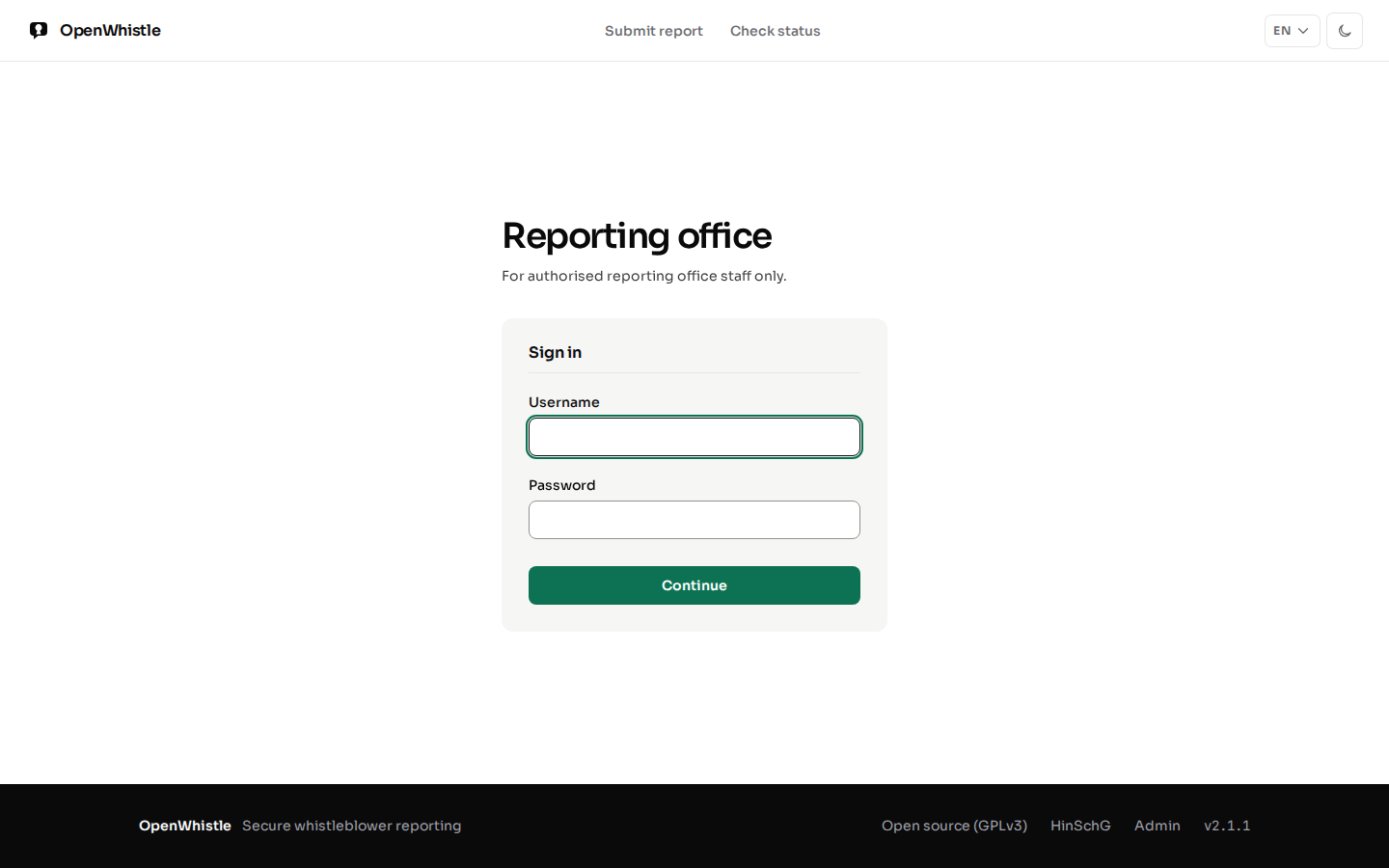
Every account signs in with two factors. The first is a password (local or LDAP) or OIDC; the second is always a TOTP code.
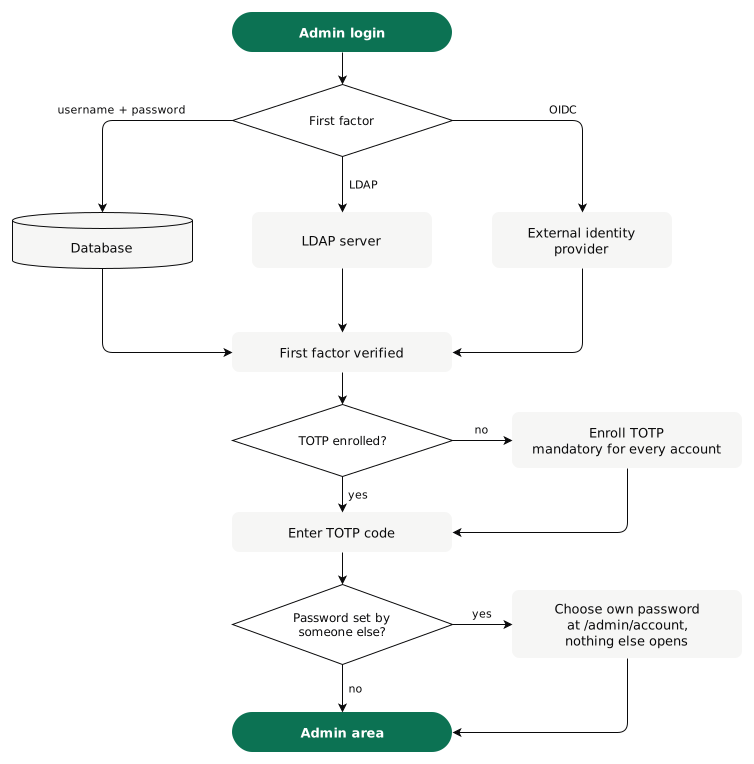
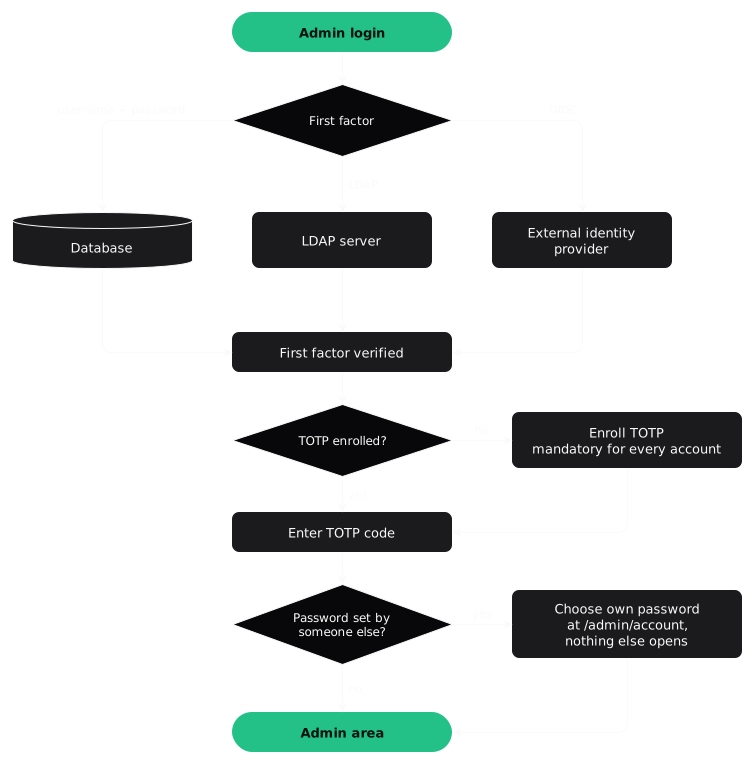
- An account without TOTP yet (new from
/admin/users, or first provisioned by LDAP) goes to/admin/mfa/setupafter its first factor. Scan the QR code, confirm one code, and the session starts. - A password someone else set is replaced next, at
/admin/account(Your account). - After
MAX_LOGIN_ATTEMPTSwrong passwords, the username is locked forLOGIN_LOCKOUT_MINUTESfrom the last one. Upper and lower case count as one username. - A session lasts
ACCESS_TOKEN_EXPIRE_MINUTES; Stay signed in renews it, up toSESSION_MAX_HOURSafter login.
Dashboard overview
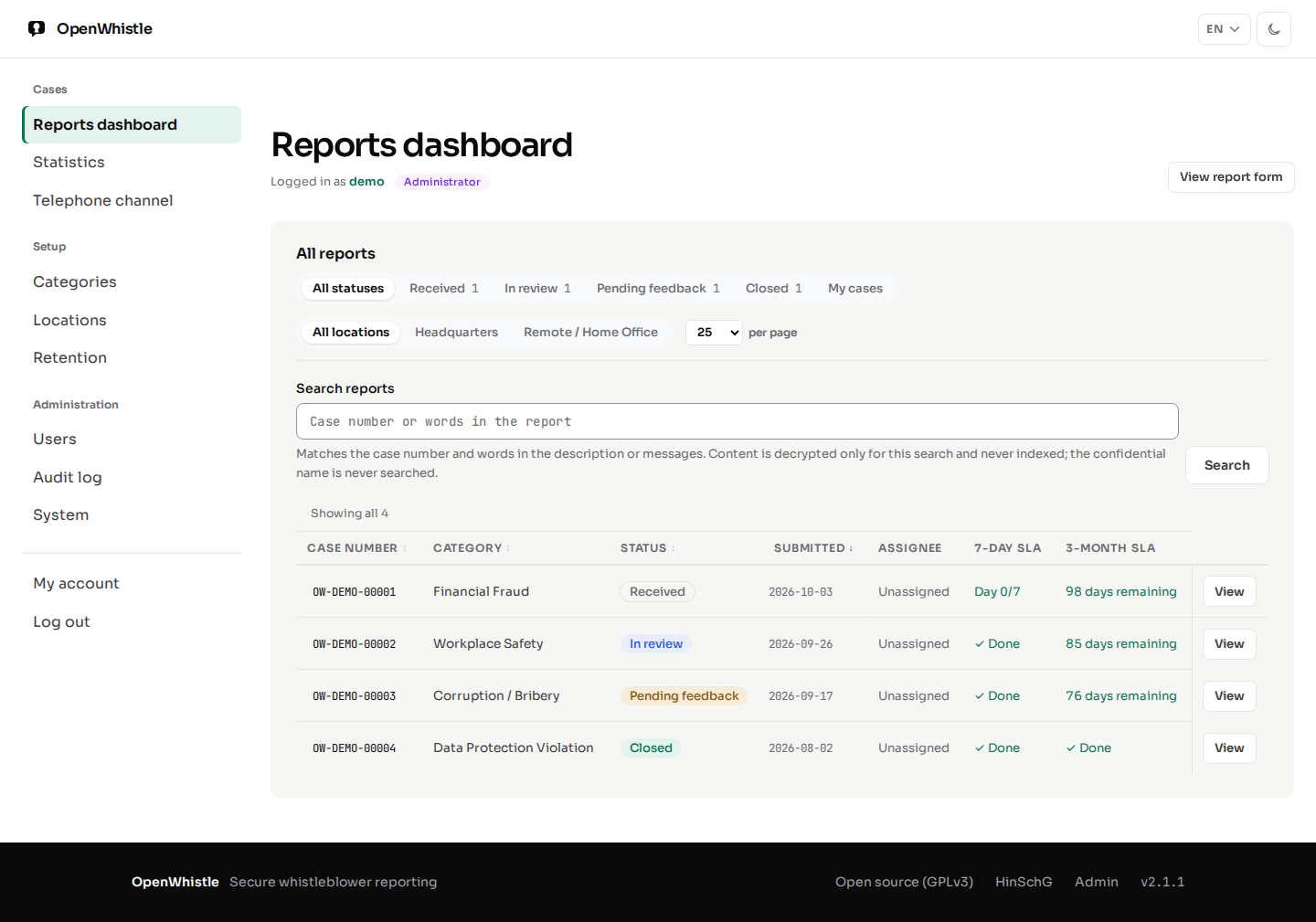
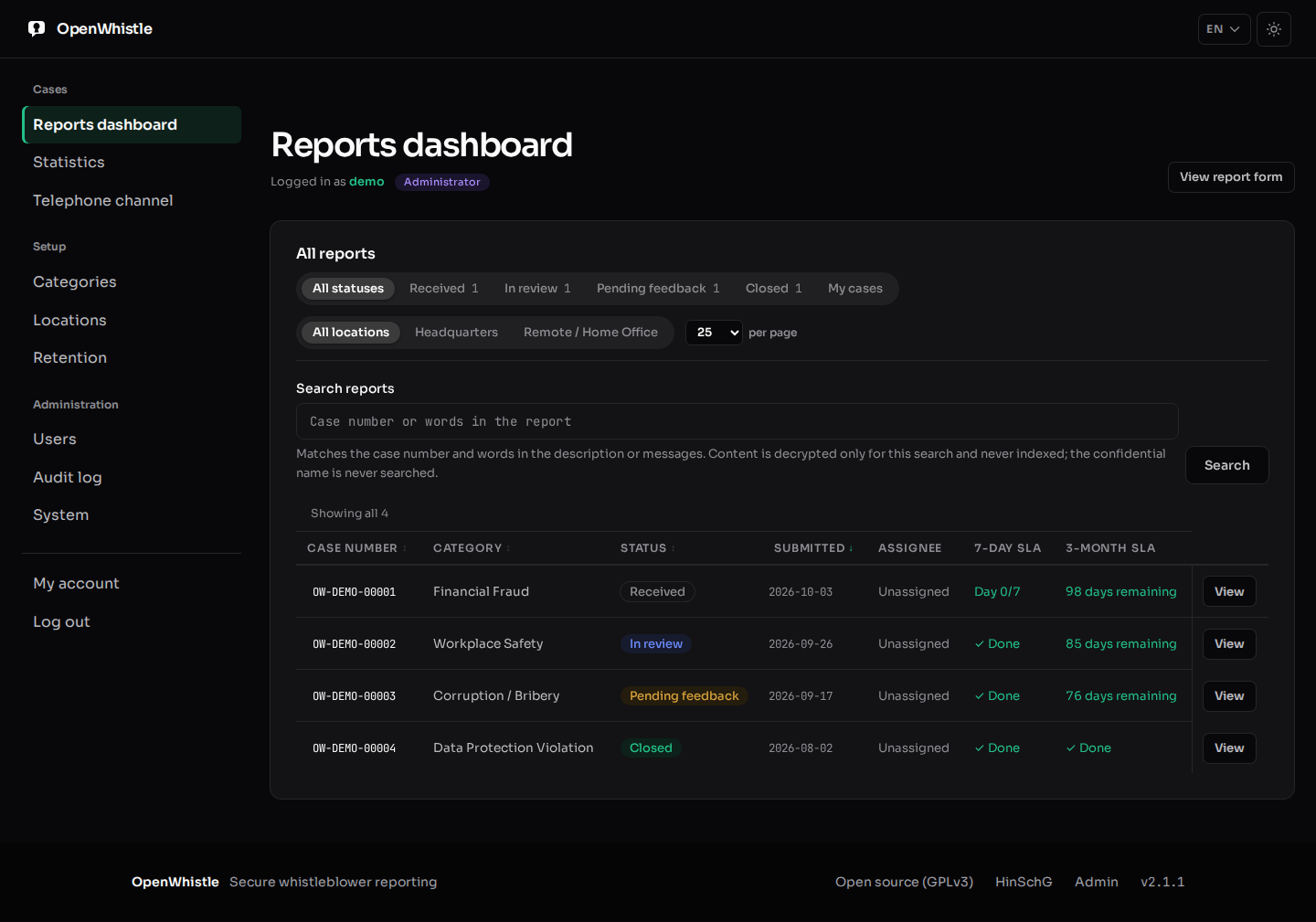
/admin/dashboard lists every report you may see, with sortable columns,
pagination and filters for status, assignee and location. Each status filter shows its case
count within the chosen location; a case manager's counts cover only their own cases.
| Column | Shows |
|---|---|
| Case number | OW-YYYY-NNNNN: the year and five random digits |
| Submitted | the day only (UTC), never the time |
| 7-day SLA | Day N/7 until acknowledged: warning from day 5, overdue from day 7 |
| 3-month SLA | days left to feedback: warning at 14 or fewer, overdue once the date has passed |
Roles
| Role | May |
|---|---|
| Superadmin | everything an admin may, plus organisations (/admin/organisations). Sees every organisation, whatever its own org_id. The setup wizard creates one. |
| Admin | everything, including users, categories, locations, the audit log and report deletion |
| Case Manager | view, comment on and advance the reports assigned to them. The sidebar shows dashboard, statistics and telephone channel; no users, no deletion |
Accounts are managed at /admin/users. A new account is a case manager unless
another role is chosen; an unknown role is refused. The last active admin cannot be
deactivated, so nobody is locked out. Only a superadmin creates, changes, deactivates or
reactivates a superadmin. In DEMO_MODE the demo accounts cannot be changed.
Only admins may dismiss the IP-header warning.
Your account
My account in the sidebar opens /admin/account, for every role.
It shows the username, role, organisation and the ways the account signs in.
- A password change needs the current password, the new one twice, and a current TOTP code. An open session alone is not enough.
- The new password has 12 characters to 72 bytes and differs from the current one.
- Wrong passwords and codes here count towards the sign-in lockout of the account.
- After the change, every other session of the account ends. The one in use stays.
- The audit log records
auth.password_changed, never the password. - An LDAP or single sign-on account has no password here. It changes it in the directory or at the provider.
- Link single sign-on and Unlink single sign-on are on this page (OIDC integration).
- With
DEMO_MODE, the demo accounts keep their password, so every visitor can sign in.
Whoever sets a password for someone else knows it. So its holder must replace it:
| Password set by | Holder's next login |
|---|---|
an admin creating the account on /admin/users | enrol the authenticator at /admin/mfa/setup, then change the password |
| a superadmin's Reset authenticator | the same, with the temporary password |
the host's reset_admin_password.py --username | change the password |
Until then, every other admin page leads back to /admin/account. Sign-out still works.
The script cannot tell whether its operator is the holder, so it always asks for the change.
Lost password or authenticator
| Lost | Who resets it | How |
|---|---|---|
| Authenticator | a superadmin | Reset authenticator on /admin/users |
| Authenticator | whoever runs the host | python scripts/reset_admin_password.py --reset-totp <username> |
| Password | whoever runs the host | python scripts/reset_admin_password.py --username <username> |
- Run the script inside the container:
docker exec -it openwhistle python scripts/reset_admin_password.py …. - Every reset ends every session of the account at once. After an authenticator reset, the old app stops working.
- A password reset by the script is in the audit log as
admin.password_reset. The next login must change it. - A reset in
/admin/usersmakes the account new again: new authenticator, and a new temporary password in place of the old one. - The temporary password is shown once, to the superadmin. It is in no log and no audit entry. Hand it over in person.
- With it, the next login goes to
/admin/mfa/setupto enrol a new app, as for a new account. Then the holder chooses a new password (Your account). - An LDAP or single sign-on account has no local password. It keeps its directory or provider login and enrols a new app.
- The script prints the new secret and its
otpauth://URI once. Hand them over in person. - A superadmin cannot reset their own authenticator in the browser: it would end their session and leave the account behind a password. Another superadmin or the script does it.
- The script works for any account, the last superadmin included.
- Every reset is in the audit log as
admin.totp_reset. WithDEMO_MODE, the demo accounts cannot be reset.
Managing reports
The search field on /admin/dashboard takes any part of a case number (for
example 00042) or a word from the report.
- A word search decrypts the description and messages of the reports you may see, in memory, for that request only. Nothing searchable is ever stored.
- The confidential name is never matched: a hit would confirm an identity guess without an audited reveal.
- The search is sent as a form (POST), so the term never appears in a URL, the browser history or a proxy's access log. Paging keeps it that way.
- Every word search is audited (
report.content_searched): the term, stored encrypted, and the number of matching reports.
Click a report to open its case page, /admin/reports/{report_id}:
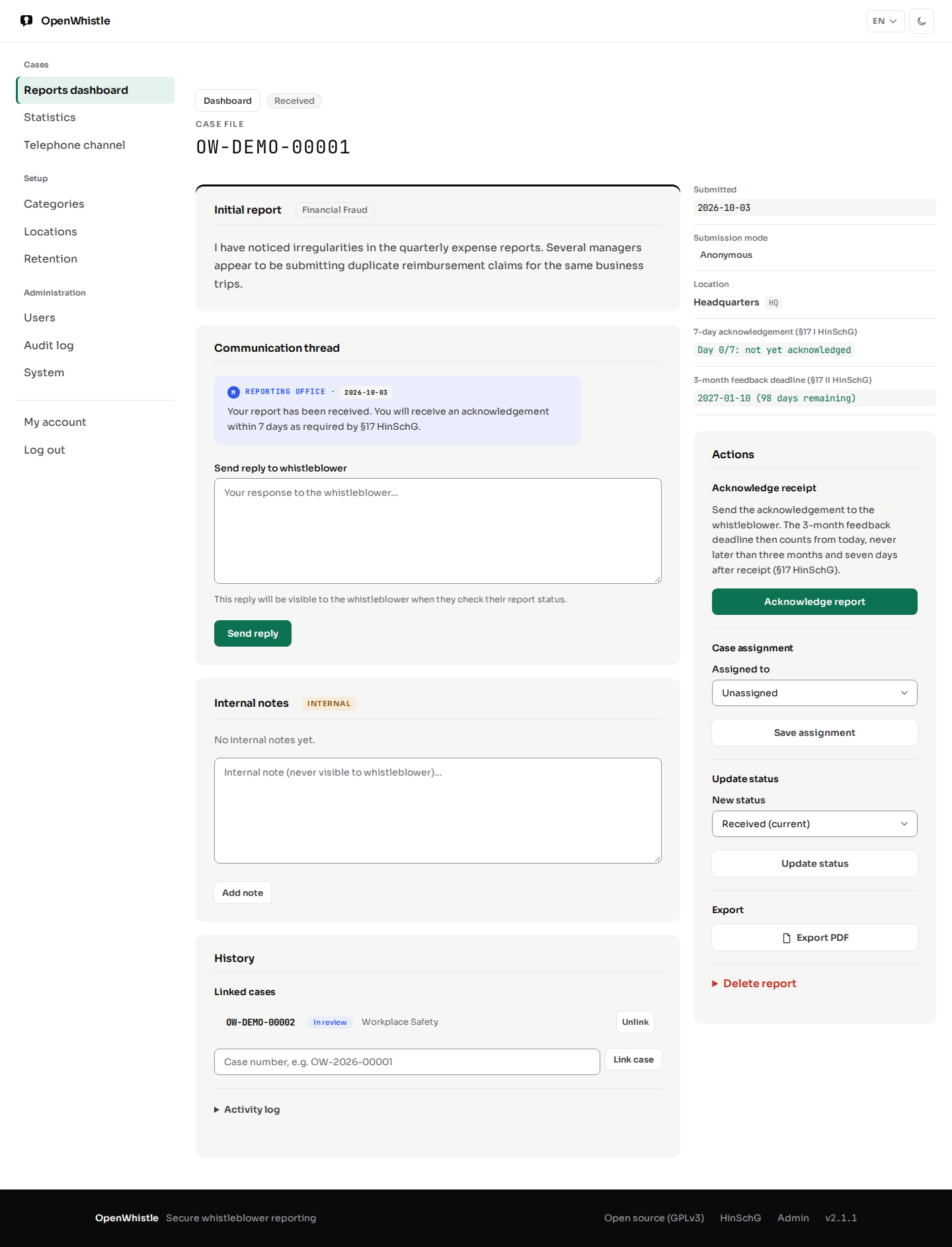
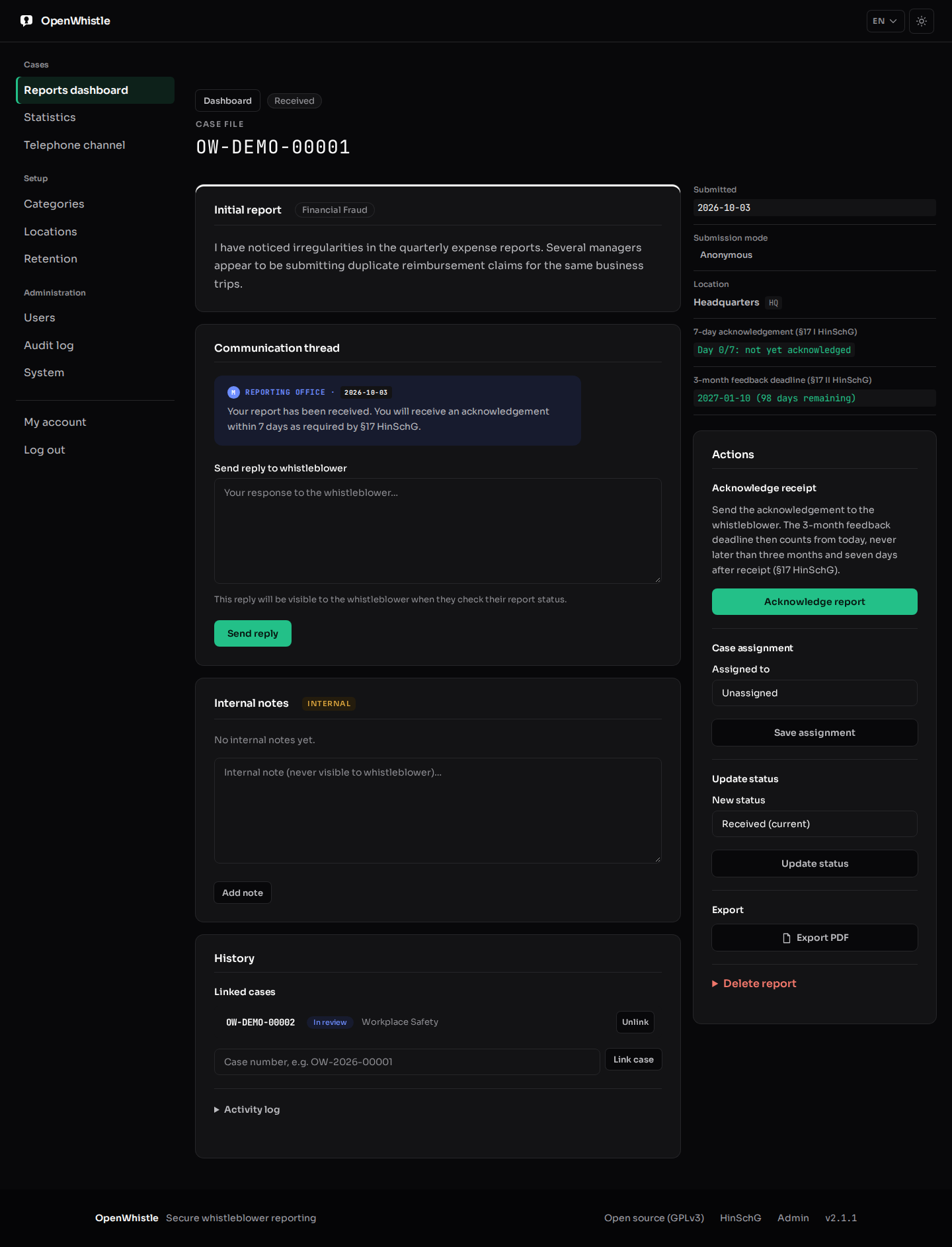
- Read the report and its submission mode (anonymous / confidential).
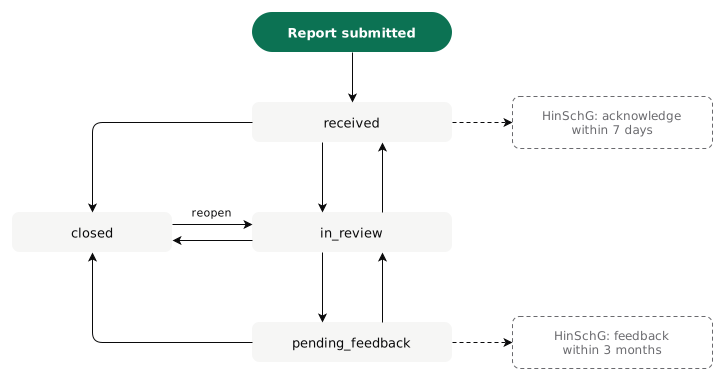
- Acknowledge report: tells the whistleblower and starts the 3-month feedback clock.
- Move the status, assign the case to an admin or case manager, link related cases.
- Reply to the whistleblower through the anonymous channel; add internal notes they never see.
- Export a PDF with an SLA compliance section (HinSchG §17), the confidential identity left out. It prints Latin (any diacritic), Greek and Cyrillic text; CJK and right-to-left scripts (Arabic, Hebrew) are not supported.
- Delete report, collapsed at the end of Actions: a second admin must confirm (4-eyes principle). It is the GDPR Art. 17 erasure.
- Neither the requester nor an account the requester made (on
/admin/users, directly or through others) may confirm, and the reverse: whoever made an account chose its first password. - A superadmin can reset another account's authenticator and act as it, so the rule holds between admins, not against a superadmin.
- Neither the requester nor an account the requester made (on
Confidential identity. A confidential reporter's name and contact are hidden by default.
- The case handler (while unassigned, an admin of the case's organisation) clicks Show identity (
POST /admin/reports/{id}/identity). A reason is required: 10–500 characters, without the reporter's name. - The identity shows on that page only; the audit log records who, when and why.
- The case page says only that a reason was recorded. The reason is on
/admin/audit-logand in the CSV export. - Export PDF with identity (
POST /admin/reports/{id}/export.pdf) asks for the same audited reason. The plain Export PDF never includes it. - Opening a case is logged as Report opened.
Audit log
/admin/audit-log: every admin action, immutable (HinSchG §11 Abs. 5), filterable, shown as readable labels.- Deleting a report deletes its entries with it. One entry stays, with the case number: Deletion confirmed (who requested, who confirmed) or
report.auto_deleted. - CSV export at any time: the machine action codes plus a label column; the detail column is a JSON object. It holds every row the page's filters select, and taking it is itself recorded.
- Downloading an attachment is recorded, as opening the case and exporting its PDF are.
- Case views (Report opened) are hidden in the log and the export unless you tick Show case views (
?views=1). - With multi-tenancy on, each organisation sees only its own entries. Instance-wide security events, such as a password-spraying alert, go to superadmins only.
Categories and locations
/admin/categories holds the report categories, all configurable.
/admin/locations holds branches or offices; while any is active, the
whistleblower wizard asks for one at step 2.
Dashboard statistics
/admin/stats: total reports, status distribution, category breakdown and the
7-day SLA compliance rate (acknowledged within 7 days of 00:00 UTC on the submission day).
A case manager's figures cover only their own cases.
System & updates
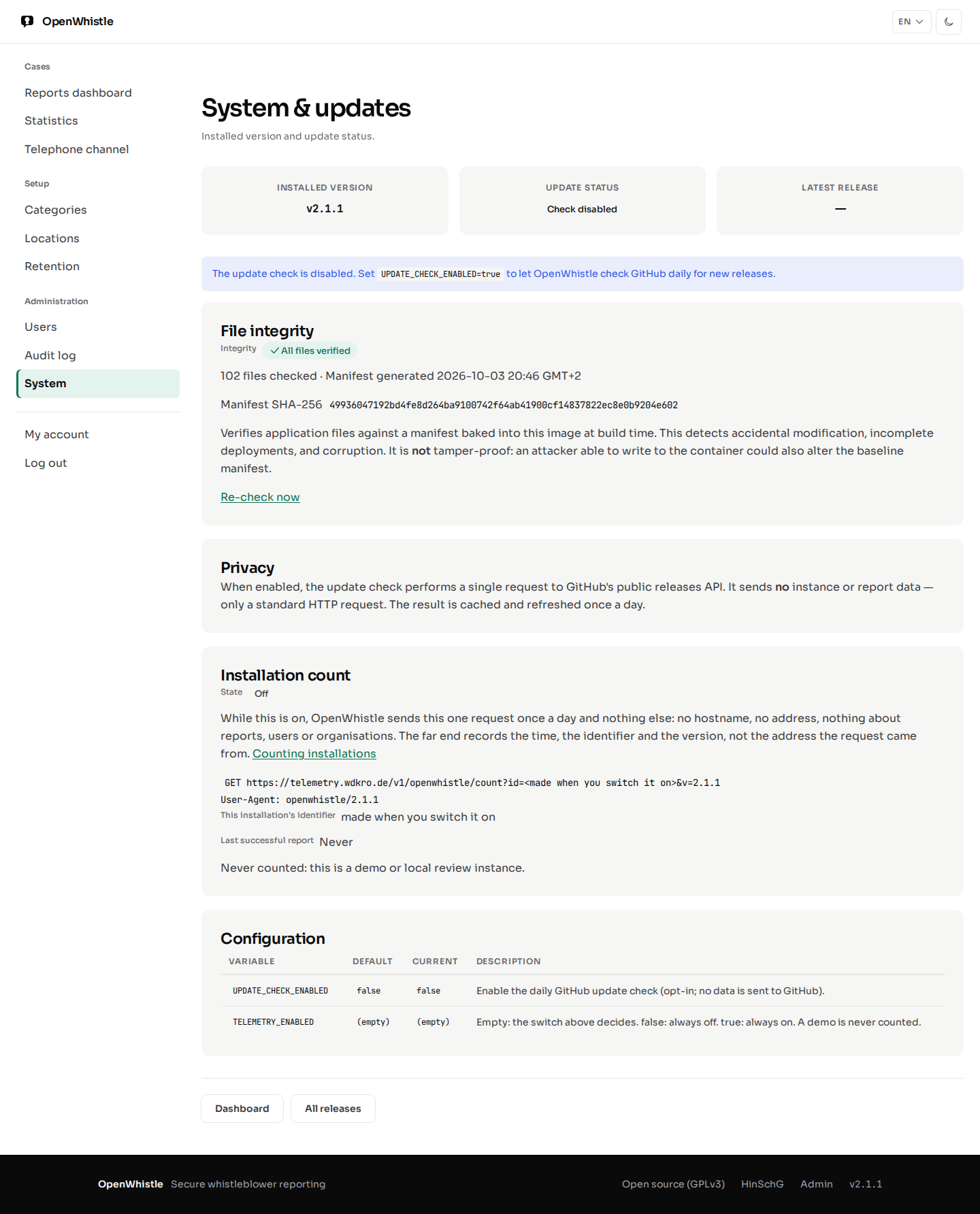
/admin/systemshows the installed version. WithUPDATE_CHECK_ENABLED=true(opt-in, off by default) it also says whether GitHub has a newer release: checked once a day, cached, no instance data sent.- Installation count: whether this installation is counted, the exact request, its identifier and the last successful report. An admin switches it (one audit entry per change) and resets the identifier; see Counting installations.
- File integrity: the application files against a SHA-256 manifest baked into the image at build time. It reports missing, modified or unexpected files, which catches accidental changes, incomplete deployments and corruption. Re-check now refreshes it.
The integrity check is not tamper-proof: an attacker who can rewrite the files can rewrite the manifest too.
HinSchG deadline tracking
The statutory timelines of §17 HinSchG, shown on the dashboard, the case page, the whistleblower's status page and the PDF:
- 7-day acknowledgement: counted from 00:00 UTC of the submission day. Times are stored as the day only, so the deadline can fall earlier, never later.
- 3-month feedback: three calendar months from the acknowledgement; without one, three months and seven days from receipt (§17 Abs. 2). Every report has this deadline from the day it arrives, and an acknowledgement never moves it later. Feedback goes to the whistleblower through the message channel before it runs out.
- A deadline is overdue once it has passed. On its last day it reads 0 days remaining.
- The statistics' 7-day rate counts only the reports whose seven days are over or that were acknowledged.
Telephone reporting channel guide
/admin/telephone-channel is a compliance reference for an oral reporting
channel beside the digital one:
- HinSchG § 16 Abs. 3: reports orally and in text form; a dedicated number, confidentiality (§ 8), impartial staff
- Implementation options: internal hotline vs. external ombudsman
- § 11 Abs. 2 HinSchG: a call is recorded only with consent, otherwise documented as a summary
- Integration workflow: how telephone reports enter the OpenWhistle case system
- Legal references with links to the official statute text
Whistleblower Guide
The form is at the installation's root URL (e.g.
https://your-domain.example.com/). No account, email address or personal
information is needed.
Where several organisations share one installation, use the link your organisation gave
you (/submit/<organisation>). Another link files the report with another
organisation.
Submitting a report
Use a private browsing window and, where possible, a network not traceable to you (public Wi-Fi, Tor). The wizard keeps your progress in a temporary session for 2 hours; you can go back and forward at any step.
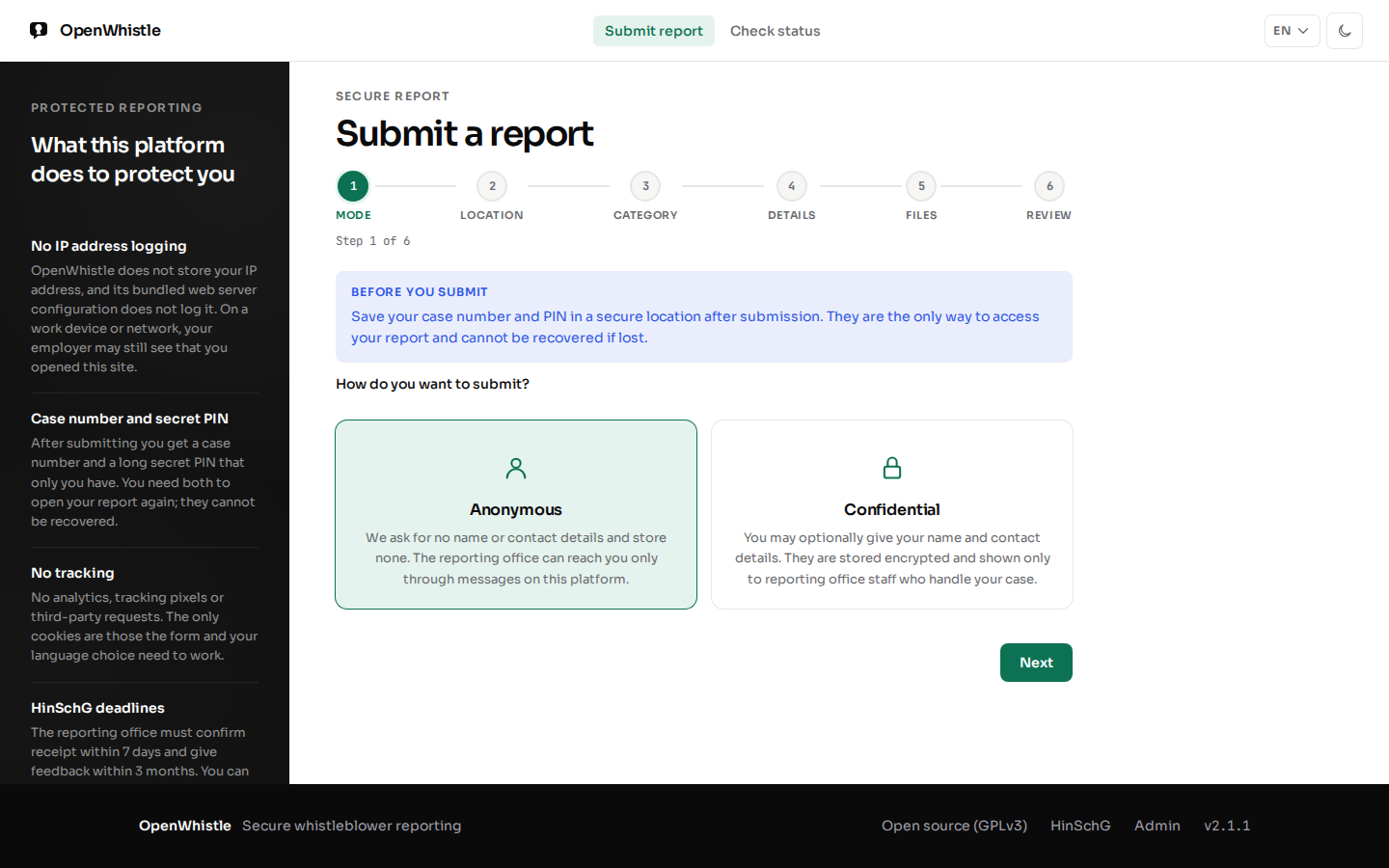
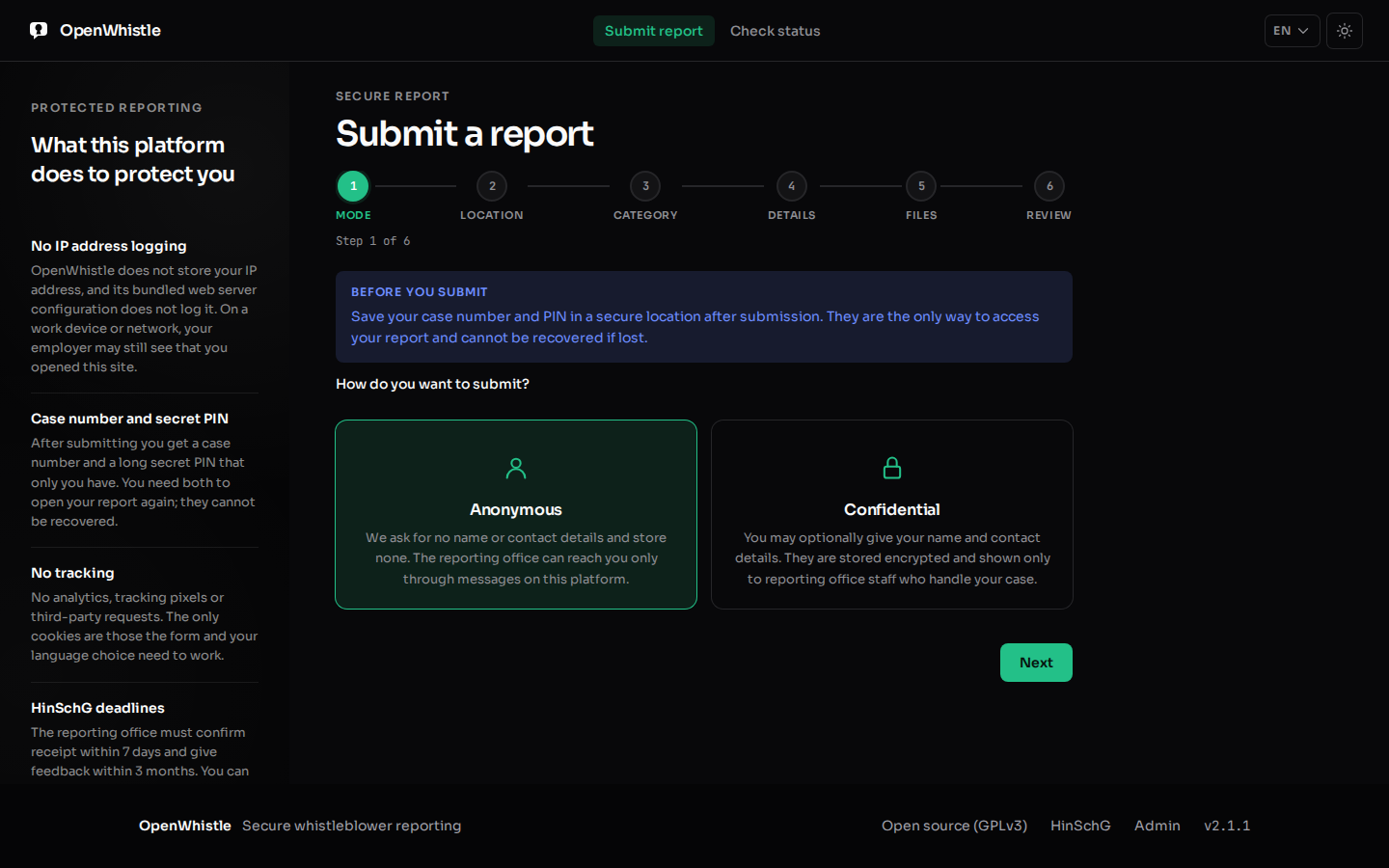
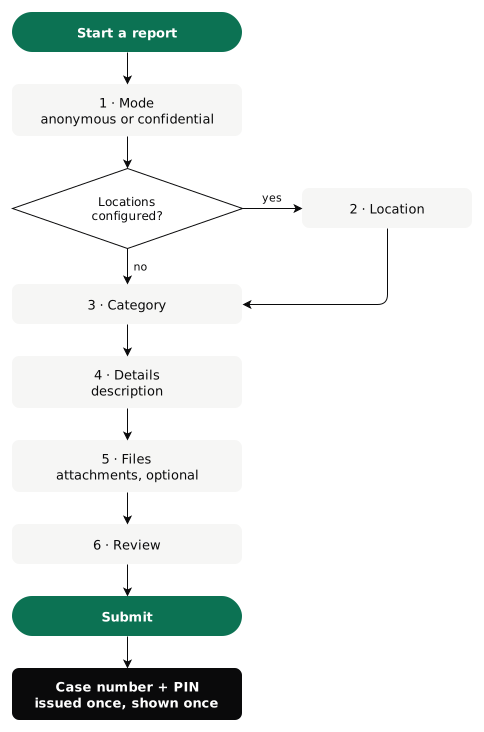
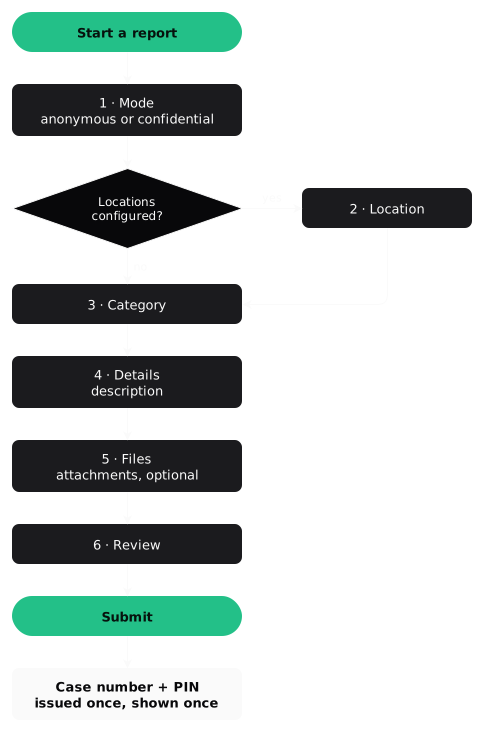
- Mode. Anonymous: no personal data ever stored. Confidential: name, contact details and an optional secure email, stored encrypted. The case handler sees them only after recording a reason. Both comply with HinSchG.
- Location (optional), only when the operator has configured branches or offices.
- Category (required) from the operator's list (e.g. financial fraud, safety violation, discrimination).
- Description (required), 10 to 10 000 characters. Be as specific as possible without naming yourself.
- Files (optional): PDF, images, Word (
.docx), Excel (.xlsx), CSV, TXT, up to 10 MB each and 5 per report. Legacy.doc/.xlsare refused; save them as.docx/.xlsx. Metadata is removed, and with virus scanning on, an infected file is refused. Going back keeps attached files; choosing new ones replaces them, and Remove drops one. - Review and submit.
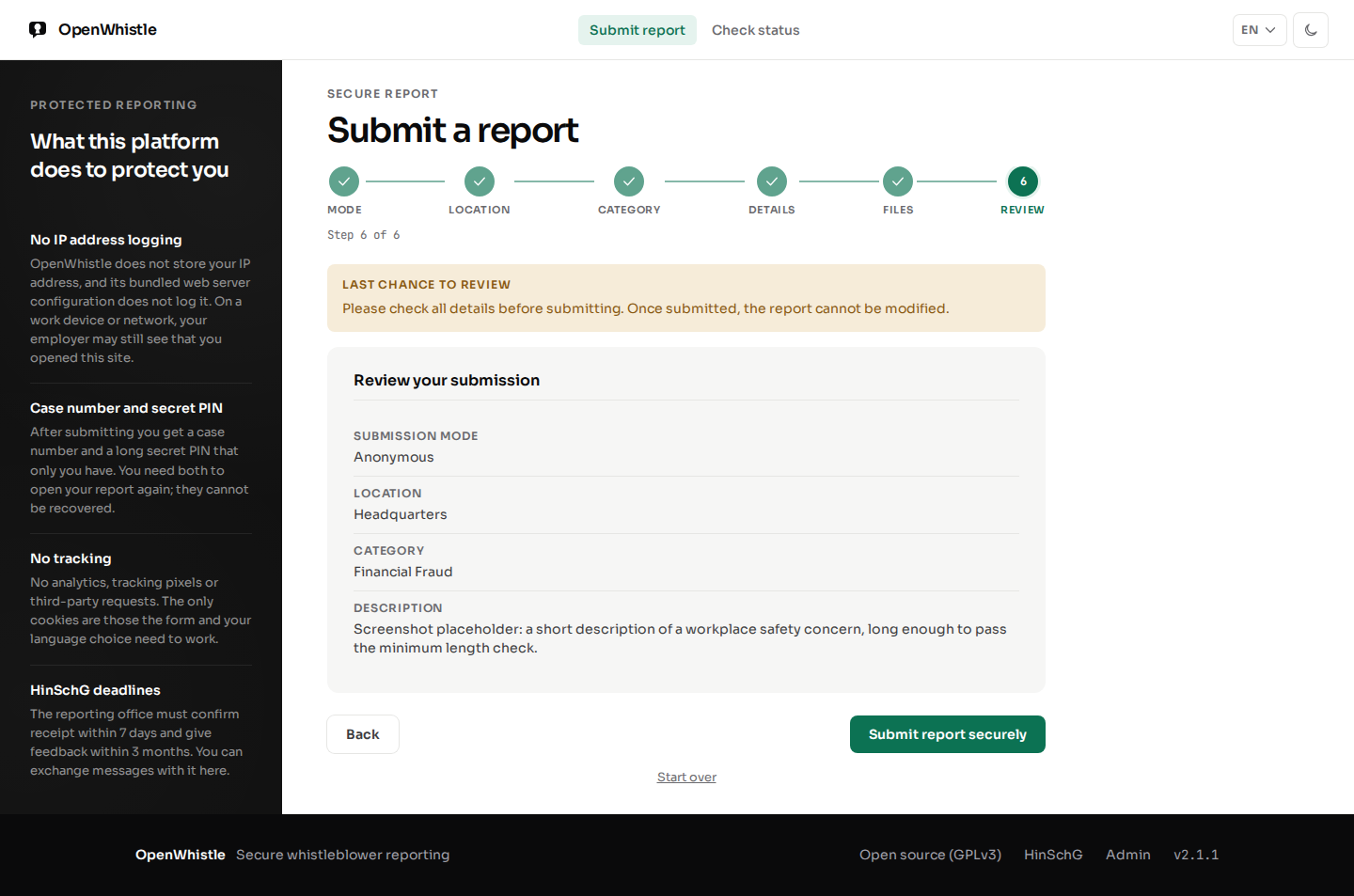
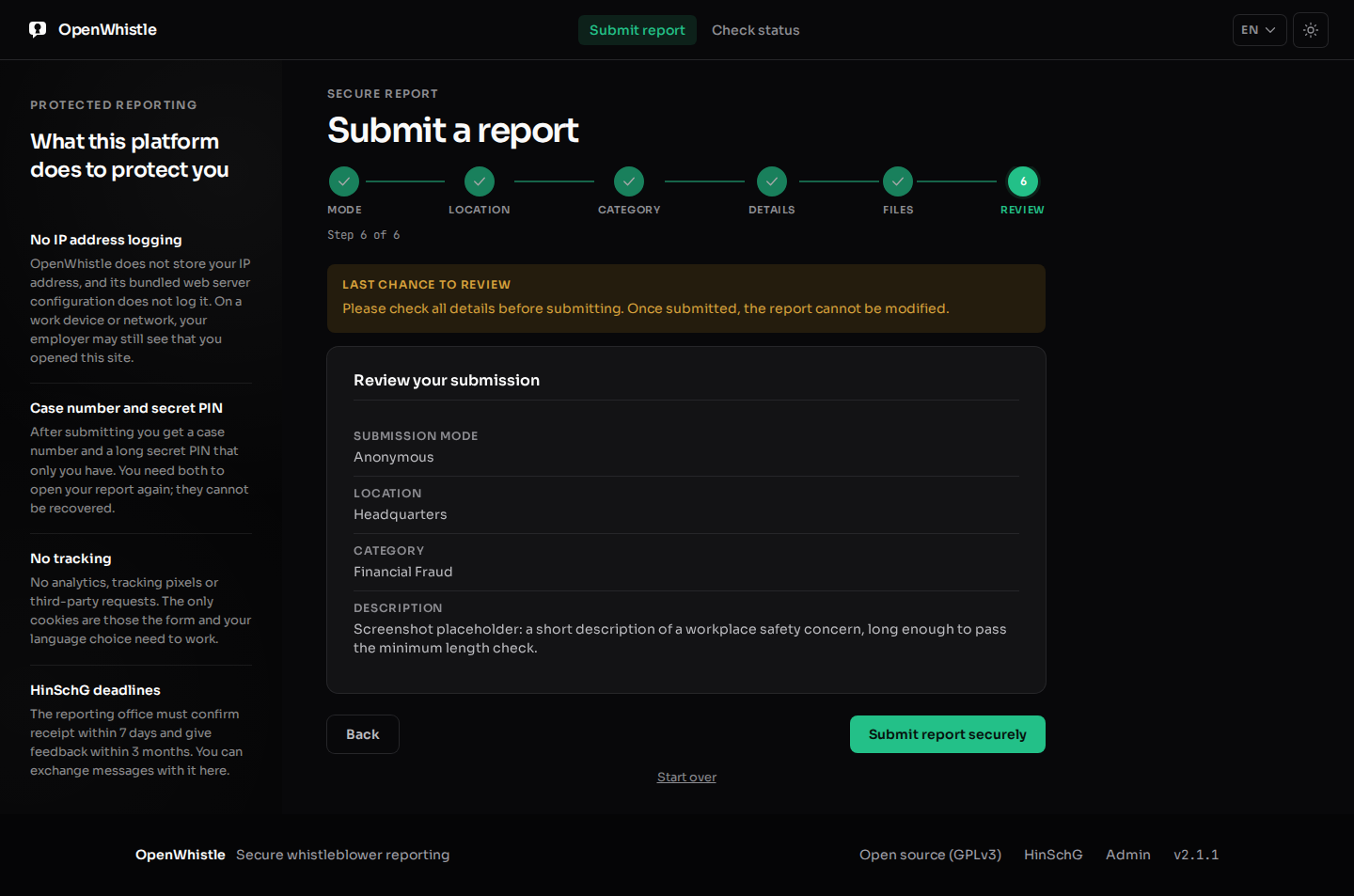
Note down the case number and PIN at once. They are shown only once and cannot be recovered. Continue to report status unlocks only after you tick that you saved them.
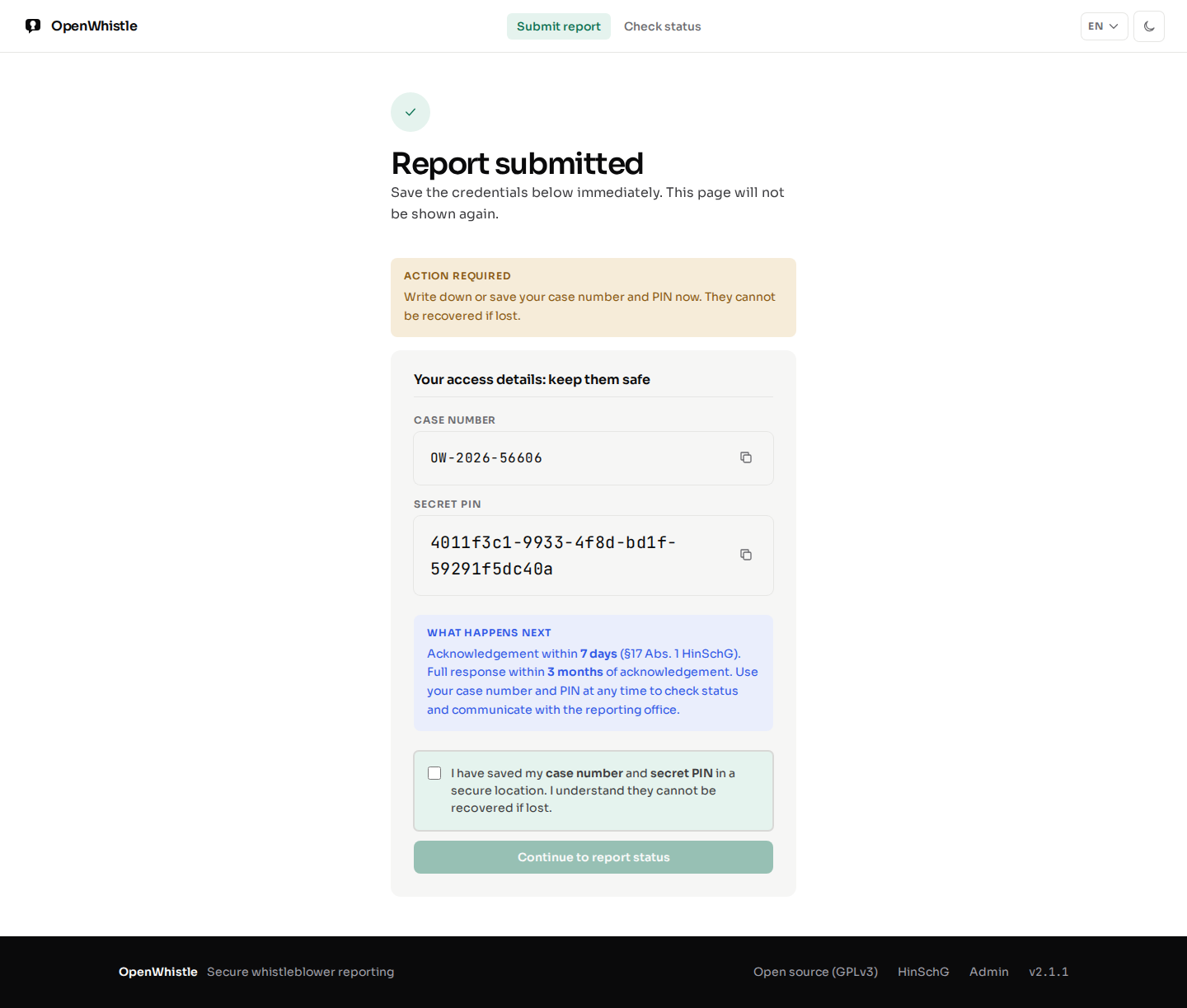
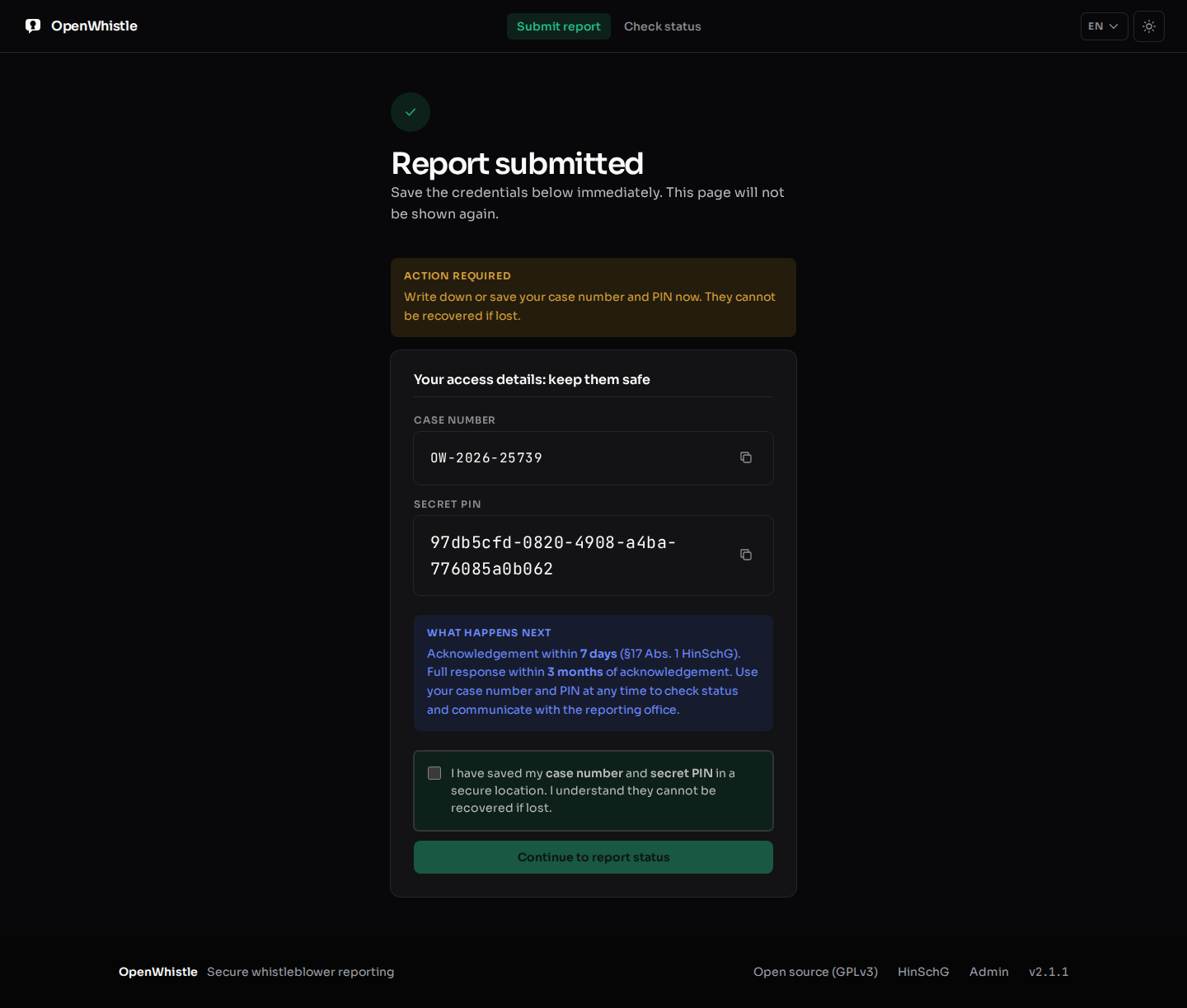
- A second click on Submit never creates a second report. It shows the same case number and PIN, or, while the first click still runs, a still being processed page with Check again.
- If the operator offers an onion address, the submit page shows it for use with Tor Browser.
Checking report status
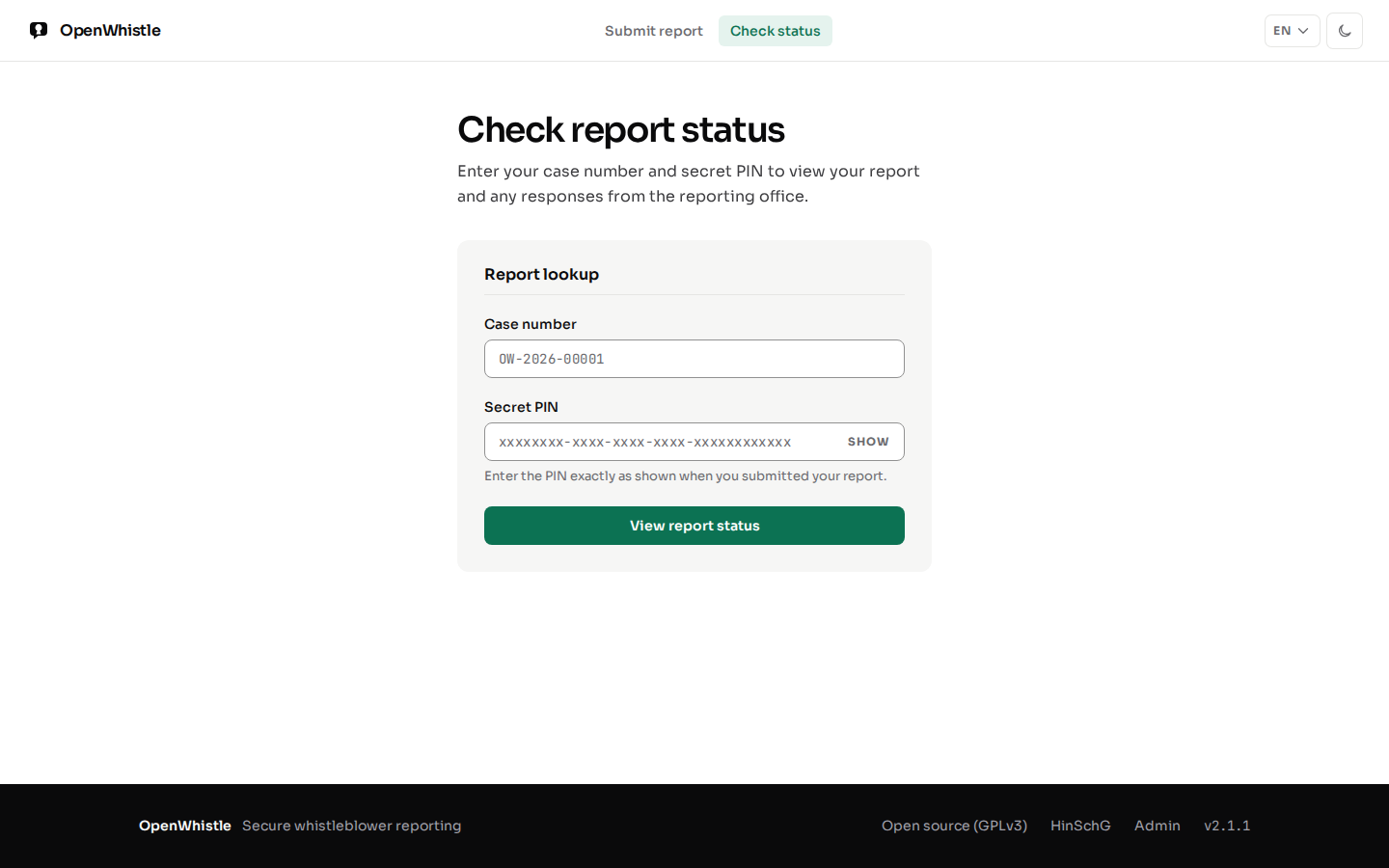
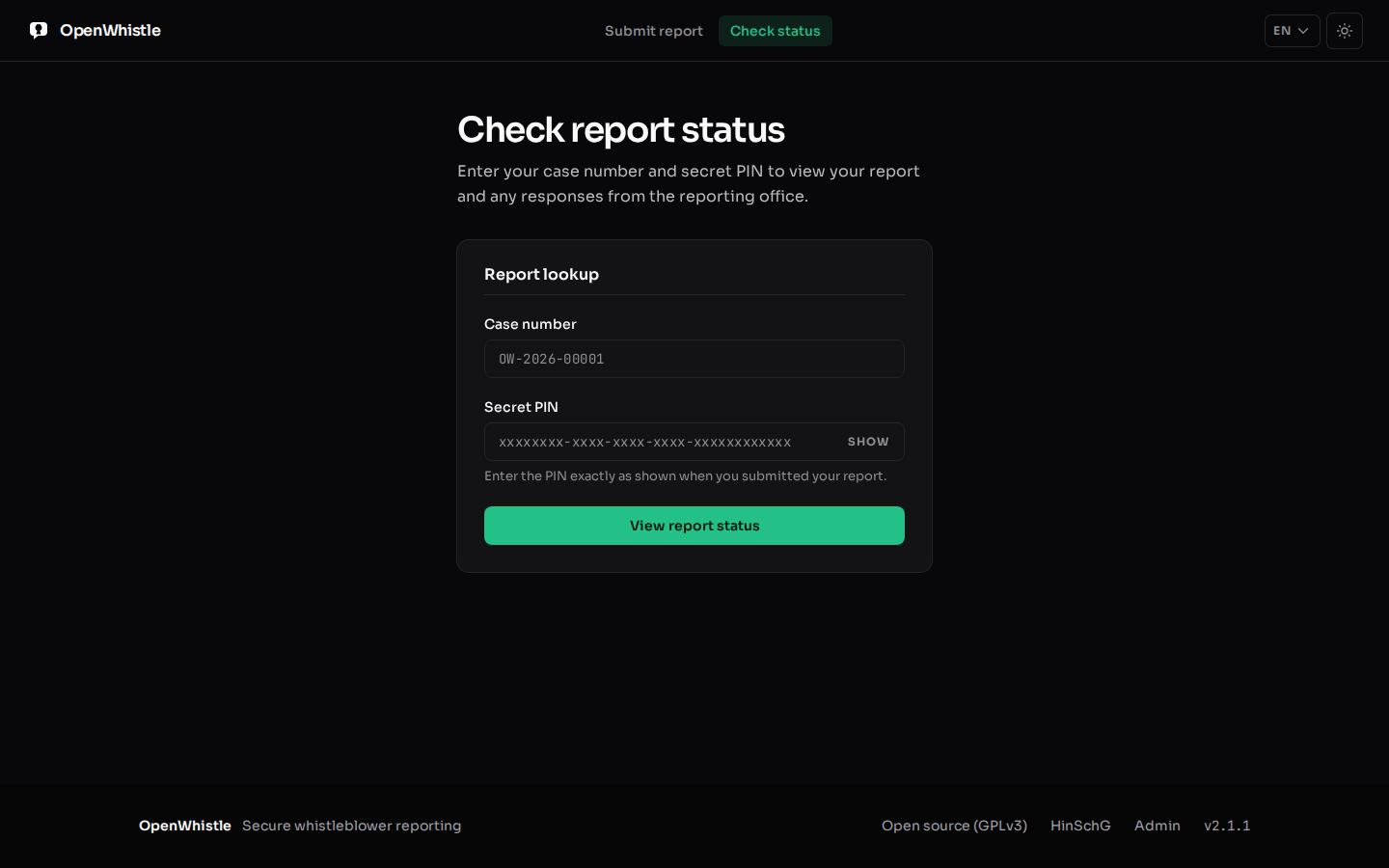
At /status, your case number and PIN show:
- Current case status
- Admin responses (if any)
- HinSchG deadlines: the 7-day acknowledgement deadline and 3-month feedback deadline with days remaining
- A form to send a follow-up message
Nobody can lock you out of your own case: the correct case number and PIN always work. After several wrong attempts on a case number the page asks you to wait, a notice, not a lock. Look up a different report ends the session on a shared device.
What is stored about when you acted
Only the day (UTC), never the time, of your report, your messages and your files. An exact time could be matched to who was at their desk. The reporting office's own replies keep their time. A message you send is stored as its day, but keeps its place among the office's replies, so the conversation reads in order.
Security recommendations for whistleblowers
- Do not submit from a device or network that can be traced to you
- Use a browser in private/incognito mode
- Store the case number and PIN in a secure location not connected to your work identity
- Never share the PIN with anyone
Security Architecture
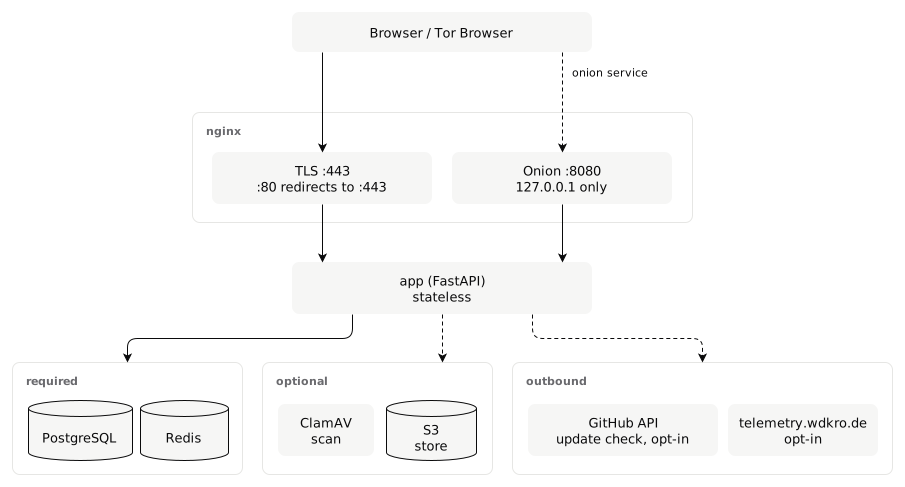
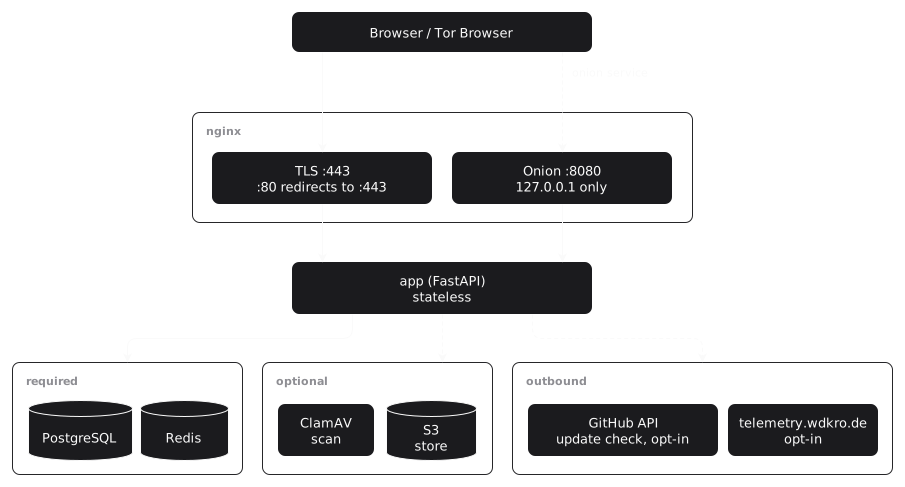
Defence in depth for anonymity: four independent layers keep IP addresses out of persistent storage.
The four anonymity layers
X-Forwarded-For, X-Real-IP, Forwarded,
X-Client-IP, X-Cluster-Client-IP, True-Client-IP
and CF-Connecting-IP are cleared before a request reaches the app, even
when a CDN added them. access_log off: request URIs never reach the disk.
A reverse proxy of your own in front must not log them either.
reports,
report_messages, audit_log or admin_users. The
ORM cannot persist an address; that is structure, not policy.
Rate limiting without IP tracking
- Wrong PINs are counted per case number, under an HMAC of it, so a Redis dump does not list which cases someone tried. After
MAX_ACCESS_ATTEMPTS(5) withinACCESS_LOCKOUT_MINUTES(15), the status page asks to wait. A correct PIN always works. - Admin passwords are counted per username (
MAX_LOGIN_ATTEMPTS) and across all accounts, against password spraying (ADMIN_FAILED_LOGIN_ALERT_THRESHOLD). - nginx limits every route, the submission wizard (
POST /submit) included: 10 requests/s with a burst of 30 per client address. The counters live in nginx memory only and are never logged. The onion listener has its own shared zone. - Helm: the chart sets the same limit on its ingress-nginx Ingress. With another ingress controller, set an equivalent one.
Security headers
The app sets them on every response, so they hold behind any proxy:
| Header | Value |
|---|---|
Strict-Transport-Security | max-age=31536000; includeSubDomains; preload, except on the onion listener |
Content-Security-Policy | default-src 'self'; scripts and styles only from self or with a per-response nonce, no 'unsafe-inline' |
X-Content-Type-Options | nosniff |
X-Frame-Options | DENY |
Referrer-Policy | no-referrer |
Permissions-Policy | camera=(), microphone=(), geolocation=(), payment=() |
Onion listener trust boundary
With ONION_LOCATION set, the app decides per request whether it came through
the onion (Tor) listener. That decides Secure cookies, HSTS and the
Onion-Location header. The client-supplied Host header never
decides it: a request on the HTTPS listener could claim
Host: <anything>.onion. Instead, nginx sets X-OW-Onion: 1 only in the
onion server block and clears it in the regular one, like the IP headers of layer 1. Both
hold only while the app port is reachable through this nginx alone
(Offering an onion address).
OIDC integration
With OIDC on, the identity provider is a second way past the first factor. It never replaces the second factor.
- Login uses PKCE; the app checks the provider's signed ID token (see
OIDC_SERVER_METADATA_URLin the configuration table). - Each person links their own account. Sign in with password and TOTP, then choose Link single sign-on on
/admin/account. - The provider's
suband issuer are stored on the signed-in account, and nowhere else. The audit log recordsauth.sso_linked. - The link request is bound to that session. Finished in another browser or after sign-out, it links nothing.
- An identity already linked to another account is refused. An unlinked identity cannot sign in.
- Unlink single sign-on removes the link (
auth.sso_unlinked). An account without a password cannot unlink its only way in. - The password keeps working. Every login still ends with TOTP, as for every account.
Demo Mode
For the public demo at demo.openwhistle.net, never for production.
Enabling demo mode
DEMO_MODE=trueDemo mode behaviour
- Prefilled admin credentials: username
demo, passworddemo, TOTP code000000 - The static TOTP code
000000is always accepted — no authenticator app needed - All reports and messages are visible to the demo admin
- The password of the demo accounts cannot be changed, and their authenticator cannot be reset
- A banner on every page says this is a demo instance
demo.openwhistle.netis wiped and restarted every 6 hours
The demo is public. Its data is wiped every 6 hours but readable by anyone until then. Never submit real or sensitive information to it.
Upgrading
Semantic versioning: minor and patch releases are backward-compatible. A major release may break things; its Changelog entry says what.
Standard upgrade procedure
# Back up first: a rollback needs it
$ docker compose exec db pg_dump -U openwhistle openwhistle > backup.sql

# The compose file and nginx config change between releases
$ git pull

# Set OPENWHISTLE_VERSION in .env to the new version, then
$ docker compose pull
$ docker compose up -d

# Migrations run at startup; the version is in the health check
$ curl -sk https://localhost/health
Before upgrading
- Read the Changelog for the target version.
- v2.0.0 adds
ENCRYPTION_KEY, a key for encryption separate fromSECRET_KEY: see Rotating the encryption key.
Upgrading to 2.0.0 with Docker Compose
git pullis required, not onlydocker compose pull: the stack needs the newnginx/snippets/and thetls-initservice.- A customised
nginx/nginx.confmakesgit pullconflict: replace it with the shipped one (git checkout -- nginx/nginx.conf). - Certificates move from the old
./nginx/certs:/etc/nginx/certsmount tonginx/certs/asfullchain.pemandprivkey.pem, copied, not symlinked. Without them, a self-signed certificate is served. - Port 80 now only redirects to 443. Behind an external TLS terminator, see Behind a TLS-terminating proxy.
- nginx also publishes
127.0.0.1:8080(the onion listener). If another service on the host uses 8080,upfails: free the port first.
Rollback
The previous image refuses to start on a migrated database. Two ways back:
- Restore the backup into an empty database and pin the old
OPENWHISTLE_VERSION. - From 2.0.0 to 1.5.x: downgrade the schema with the 2.0.0 image first, then pin the old version:
$ docker compose run --rm app alembic downgrade 7d4e2b9c1a05
# then set OPENWHISTLE_VERSION=1.5.0 in .env
$ docker compose up -d
The downgrade decrypts the TOTP secrets again and needs the same encryption keys. Migration 006 rounded whistleblower times to the day; the downgrade keeps them rounded, the exact times are gone by design.
Security fixes are released as patch versions. To hear about them, watch the repository's releases (GitHub: Watch → Custom → Releases).
Rotating the encryption key
Re-encrypted: the per-report key wrappers, confidential identity and contact, secure e-mail, TOTP secrets, identity-reveal reasons. Report content and attachments are not touched. Back up the database first.
- Set
ENCRYPTION_KEY_PREVIOUSto the key in use: the oldENCRYPTION_KEY, orSECRET_KEYon an install that never set one. - Set
ENCRYPTION_KEYto a new value (openssl rand -hex 32) and recreate the container:docker compose up -d(a restart keeps the old environment). - Run
docker compose exec app python scripts/rotate_encryption_key.py. It writes nothing unless every value can be re-encrypted; otherwise it lists the rows by id. Safe to run twice. - Empty
ENCRYPTION_KEY_PREVIOUSand recreate the container again:docker compose up -d.
At every start, before migrating, the app checks one stored report key and one TOTP
secret. If no key opens them, it refuses to start and writes nothing; the log line names
ENCRYPTION_KEY_PREVIOUS. That happens, for example, when
ENCRYPTION_KEY is set on an existing install without step 1, or removed again.
Helm: before step 3, wait until every pod runs with the new environment
(kubectl rollout status). During the rolling update, old pods cannot read data
that new pods write.
Until step 3 has succeeded, removing it leaves data unreadable. Afterwards, keep it safe
as long as any backup from before the rotation is kept. To restore such a backup, put the
old key back into ENCRYPTION_KEY_PREVIOUS and run the script.